How FutureX Keeps AI Agents From Going Rogue
FutureX prevents AI agents from going rogue with sandboxing, permission gates, prompt-injection defenses, and human-in-the-loop oversight.
- AI agent safety
- vibe coding security
- FutureX guardrails
- autonomous agent hacking
- safe AI coding agent
- agent orchestration
Viral stories about AI agents independently hacking startups and production systems have made vibe coders understandably nervous. FutureX, the coding agent inside FIM, approaches AI agent safety as an engineering problem: every plan, tool call, and side effect is bounded by sandboxes, permission gates, and reviewable audit trails. The architecture is designed so that even if an agent is manipulated, misdirected, or simply confused, it cannot unilaterally destroy your project.
The Threat Model for Autonomous Coding Agents#
Autonomous agent hacking does not require malicious intent. It requires an agent with access to tools and an environment rich with ambiguous instructions. The common failure modes are familiar:
- Prompt injection: code, README files, or issue comments contain instructions that override the agent's current goal.
- Over-privileged tokens: credentials with broad repository, cloud, or registry access turn one mistake into a wide blast radius.
- Mutable shared state: running commands against live branches, databases, or deploy pipelines without rollback.
- Unbounded loops: an agent repeating a failing action and escalating parameters until something breaks.
FutureX treats each of these as a design constraint, not a personality trait. The agent is allowed to act autonomously, but only inside a containment system that assumes it may be wrong.
Source: rafter.so
Sandboxing: The Non-Negotiable Baseline#
Sandboxing is the first line of defense. Every command FutureX executes runs in an ephemeral environment that is destroyed at the end of the task. The sandbox is the source of truth for permissions: the agent can interact with the host only through a small, typed API.
Isolated Executions#
FutureX creates a disposable container or virtual environment for each run. The source repository is mounted read-only, package installs go into a fresh layer, and no state survives unless explicitly promoted to the host workspace. The sandbox has no persistent root access and no inherited shell history. Writes are captured as diffs, so the agent can be rewound to any prior checkpoint.
If a dependency contains malicious code, it executes inside a one-shot environment that cannot see your SSH keys, environment variables, or sibling projects. Even in the worst case, the blast radius is one discarded container.
Network Egress Controls#
By default, the sandbox cannot reach the public internet. FutureX maintains an explicit allowlist for package registries such as npm, PyPI, and GitHub, and even those connections are restricted by protocol and scope. If an agent tries to phone home or upload files, the connection simply fails. Network-level isolation makes data exfiltration materially impossible, not just unlikely.
Human Oversight That Scales, Not Stalls#
Guardrails work only when the right human is in the loop at the right time. FutureX uses tiered oversight that matches the risk of each action.
Strict Permission Gates#
Read-only operations such as grep, file inspection, and test collection run automatically. State-changing operations such as git commit and dependency installation require consent. Destructive operations such as force-pushing, deleting branches, and running database migrations require a separate explicit approval with the exact command shown. This is not a speed bump; it is a verification checkpoint. You can also pause an active session, inspect the current plan, and edit the next steps before letting the agent continue.
Audit Trails and Reversibility#
Every action is logged with the command, arguments, working directory, exit status, and the user who approved it. While an agent runs, you see a live feed of its plan, which makes surprising behavior visible before it becomes expensive. If something does go wrong, you can revert the workspace to the last secure snapshot. FutureX guardrails are designed for fast feedback and fast recovery, not for slowing down vibe coding.
Source: theguardian.com
Guardrails Against Prompt Injection#
A safe AI coding agent needs to be robust to adversarial content, not just well-intentioned user prompts. Repository files are a classic injection vector because they mix data with instructions.
Context Isolation#
FutureX treats repository files, commit messages, and issue threads as data, not directives. It uses structured tools to load content in annotated, read-only form, so a file can describe a command without being able to execute it. The protected instruction layer stays user-controlled, while everything read from the repo is marked as informational. If an instruction inside a README tries to redefine the agent's authority, the permission layer catches it before the shell does.
Tool Call Validation#
Every command is parsed into a structured action and validated against a schema before execution. FutureX checks for path traversal, shell metacharacters, and dangerous flag combinations. A request to export credentials from a test file does not become a shell one-liner; it becomes a rejected action in the audit log. This validation applies to every tool call, not just the ones that look suspicious.
Vibe Coding Security Without the Anxiety#
FutureX guardrails remove the worst failure modes, but you still set the policy. Vibe coding security improves when you combine platform-level enforcement with a few healthy defaults:
- Define no-go zones in a policy file: paths, branches, and cloud resources that the agent must never touch.
- Use scoped credentials: bind tokens to the least privilege required for a task instead of sharing a personal access token.
- Rotate tokens and revoke sandbox credentials after each session, especially when third-party packages are involved.
- Review the audit log for anomalies: unusual network attempts, recursive command patterns, or repeated denials.
None of this requires you to hover over every keystroke. The point is to make delegation safe by default and visible when it matters.

Source: rafter.so
Conclusion#
An autonomous coding agent is only as safe as the constraints around it. FutureX bakes AI agent safety into the execution model: sandboxed environments, default-deny network policies, permission gates for destructive actions, and prompt-injection defenses that treat repo content as data. That is what makes FutureX a safe AI coding agent for high-velocity projects. You keep the speed of vibe coding, and your agent stays out of the headlines.
Related reading

Vibe Coding Without Fear: 5 FutureX Privacy Practices
Five concrete controls and isolation techniques FutureX applies to keep vibe coding private, plus what you can do to harden your own AI coding loop.
vibe coding security7 min read
Headless, Scriptable, Parallel: Orchestrate Terminal Agents with FutureX
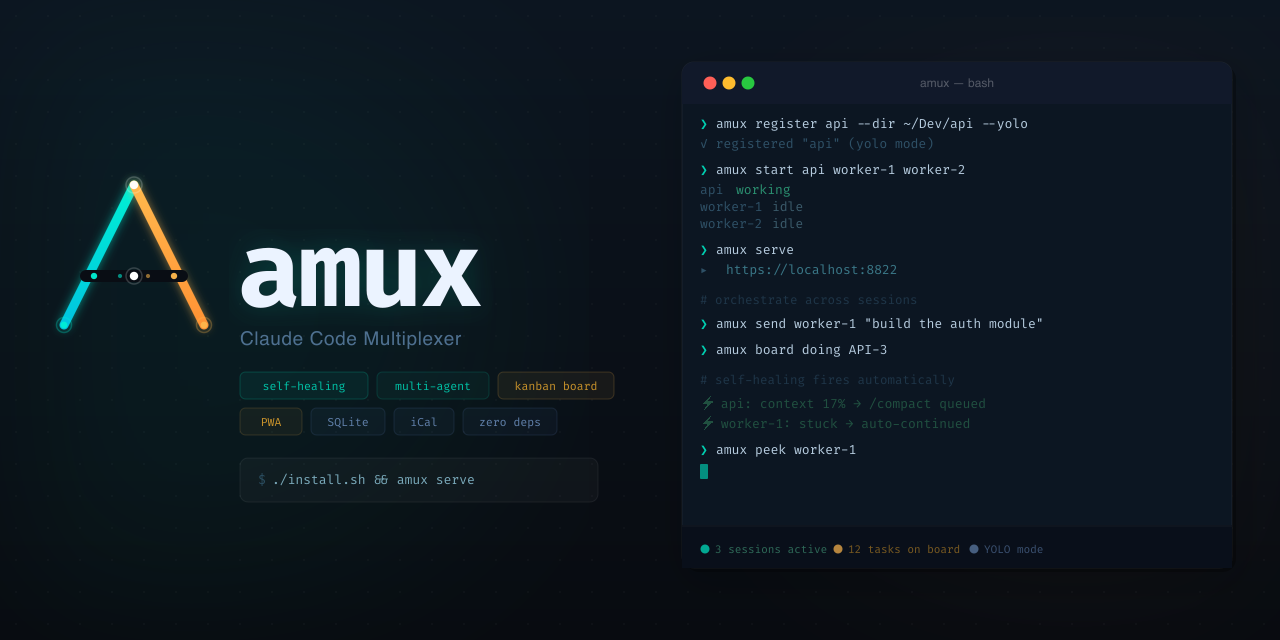
Use FutureX as a headless orchestrator to run parallel coding agents, self-healing loops, and a kanban-style workflow directly in your terminal.
CLI orchestration5 min read
Sandbox vs Shell: Where Terminal Agents Actually Run Your Code
Terminal agents execute with your full OS privileges while IDE agents run sandboxed — and that boundary determines the security and reliability of your agentic coding workflow.
terminal agents5 min read