Sandbox vs Shell: Where Terminal Agents Actually Run Your Code
Terminal agents execute with your full OS privileges while IDE agents run sandboxed — and that boundary determines the security and reliability of your agentic coding workflow.
Since you're choosing between agentic coding and agentic terminal work for your next project, the first question isn't which tool writes better code — it's where that code actually runs when an agent decides to execute it. The execution model determines how much damage a wrong command can do, how much context an agent can see, and whether the results are reproducible. This post breaks down terminal agent execution versus sandboxed IDE execution, and what those differences mean for security, reliability, and production readiness.
Two Execution Models, One Goal#
Agents in the IDE and agents in the terminal share a goal: turn a natural-language request into verified changes in a codebase. The difference is the runtime boundary. An IDE agent executes inside a sandbox that the editor controls, while a terminal agent executes directly in your shell with your user permissions, your environment variables, and your network access.
What a CLI Agent Does#
A CLI agent like FutureX in terminal mode spawns processes the same way you do. npm test, git push, terraform apply — these run with the agent inheriting your shell profile, your SSH keys, and your working directory. This is the appeal of terminal agent execution: nothing is simulated. If it works in the agent's shell, it works in yours, because they are the same shell.

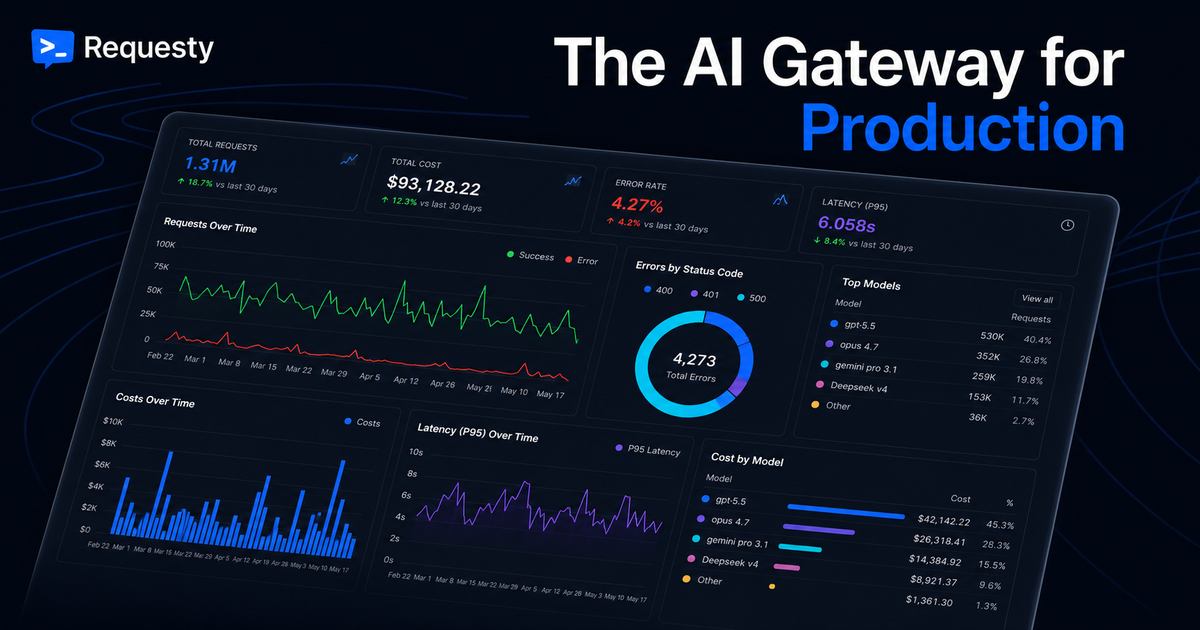
Source: sourcegraph.com
What an IDE Agent Does#
IDE agents route execution through a sandboxed coding runtime. File writes are intercepted, network calls go through a filtered proxy, and process launches happen in a restricted environment the editor can revoke at any time. The benefit is containment: a bad refactor or a malicious dependency can't touch files outside the project directory, and the agent's API keys never leak into the shell. The cost is fidelity — sandboxed coding environments often behave differently from the host system, especially around native binaries, Docker, and localhost services.
Security: The Blast Radius of Autonomy#
The core security question for autonomous coding is blast radius: how much of your machine can one mistaken action destroy? CLI agent security and sandboxed coding take opposite approaches to answering it.
Privilege and Permissions#
A terminal agent runs with your full identity. It can delete your home directory, overwrite your git config, or exfiltrate environment variables — and it will do so with the same trust that any tool you run manually receives. You mitigate this with human review gates, read-only modes, and careful repository scoping, but the fundamental property remains: the agent is you.
An IDE agent, by contrast, runs under a narrower permission model. Even when it feels powerful, the sandbox intercepts dangerous operations and asks for confirmation outside the agent's control loop. For teams experimenting with AI agent safety, this is the safer default: the blast radius is bounded by the sandbox, not by the model's judgment.

Source: sourcegraph.com
The Sandbox Tradeoff#
The tradeoff is that sandboxing changes the system you're testing against. When your agent runs inside an isolated filesystem or a container, it cannot reach the services your production code depends on — the local Postgres, the mock auth server, the mesh network. So teams end up with two workflows: sandboxed coding for safe exploration, and terminal mode for integration-heavy work. The dangerous irony is that the closer an execution environment matches production, the more security risk it carries, and the safest sandbox is the least faithful simulation.
Reliability: Reproducibility and Context#
Security isn't the only reason the execution model matters. Reliability — whether the agent's actions produce consistent, reviewable results — depends on the same boundary.
State and Side Effects#
Terminal agents operate on real state. When FutureX runs your test suite, it mutates coverage files, cache directories, and log output. That's a feature: you get realistic performance and genuine integration behavior. But it's also a hazard. Consecutive agent runs in the same environment can diverge because the first run changed global state — installed packages, added environment variables, altered permissions. Reproducing a bug means freezing the entire machine state.
Sandboxed coding environments solve this by being ephemeral. Each run starts from a known snapshot, applies the agent's changes in isolation, and discards the container when done. Debugging is more deterministic because the variable of ambient system state is removed. The downside is that deterministic sandboxes produce confidence in the sandbox, not in your machine — and production ultimately runs on your machine.
Debugging and Observability#
There's also a practical debugging gap. In terminal agent execution, the agent's output is your output: you can tail logs, attach strace, and inspect processes in real time. In an IDE sandbox, those processes are invisible to your host tooling, so you debug through the agent's transcript rather than through your OS. For complex failures, that's a significant loss of observability.
Choosing the Right Model for Your Project#
There is no universally correct choice, but there is a clear heuristic. Use sandboxed coding environments when you want controlled experimentation, when the codebase is self-contained, and when you're still building trust in agentic workflows. Use terminal agent execution when your work touches infrastructure, when integration tests require local services, or when you need the agent to see exactly what CI will see.
A pragmatic approach is to layer both. Let the IDE agent plan and refactor inside the sandbox, then hand off to a terminal agent for the final runs against real services. FIM's FutureX supports both modes, and keeping them separate means you get sandboxed exploration where safety matters and native execution where fidelity matters.
Conclusion#
The execution model is the real product decision in agentic coding. Sandboxed coding offers a bounded blast radius and reproducible runs at the cost of fidelity. Terminal agent execution offers full fidelity and observability at the cost of direct exposure. Understand which one your workflow needs, and choose accordingly — before your agent does something irreversible.
Related reading
IDE Agent vs Terminal Agent: What Devs Use in 2026
A look at what 2026 developer survey threads reveal about IDE agent preference versus terminal agent choice among senior engineers.
IDE agents5 min read
Continue.dev Shut Down? FutureX Keeps Vibe Coding Alive
Continue.dev's shutdown marks the end of the standalone AI coding assistant era, but FutureX shows how autonomous, natural-language-driven development keeps vibe coding alive.
vibe coding6 min read
FutureX vs. AI-Native IDEs: Why the Coding Agent Is the New IDE
FutureX is not another AI feature bolted onto an editor — it is a standalone coding agent that replaces the IDE paradigm itself.
FutureX10 min read