Headless, Scriptable, Parallel: Orchestrate Terminal Agents with FutureX
Use FutureX as a headless orchestrator to run parallel coding agents, self-healing loops, and a kanban-style workflow directly in your terminal.
- CLI orchestration
- multi-agent coding
- terminal workflow
- parallel coding agents
- FutureX
- agent orchestration
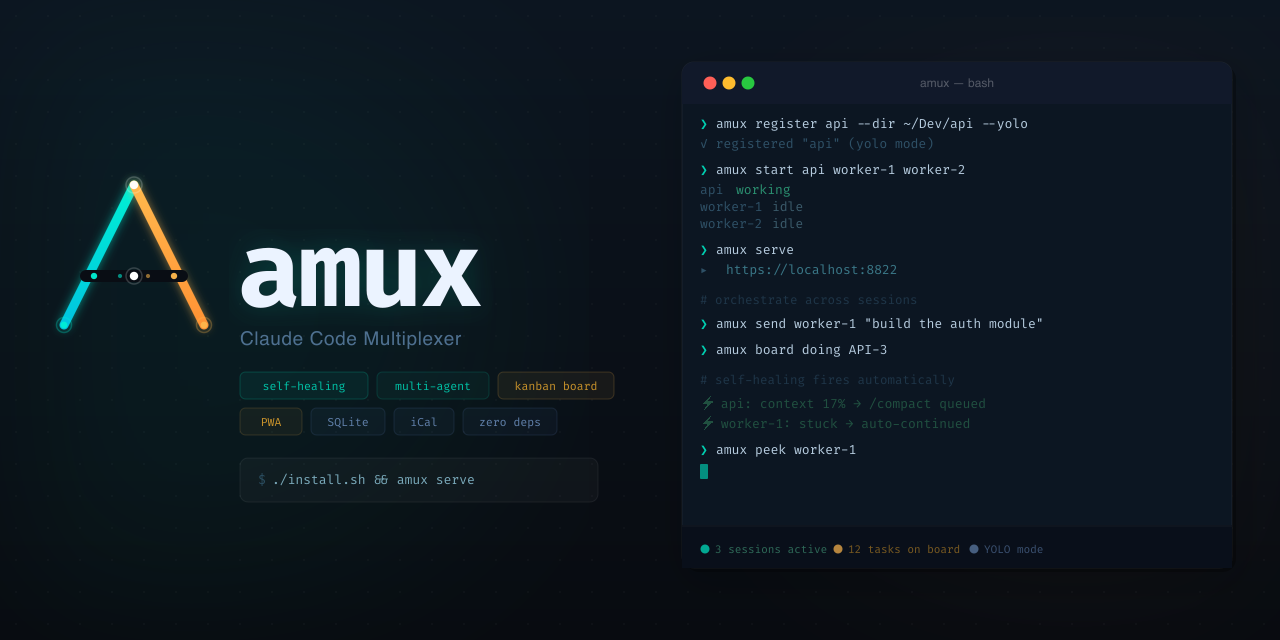
FutureX is usually described as a coding agent you talk to. That undersells it. In headless mode, FutureX becomes a control plane: it can spawn, supervise, and coordinate multiple terminal agents, each working independently on its own slice of a larger task. This post walks through using FutureX for CLI orchestration — a multi-agent setup where parallel coding agents update a shared kanban board, retry their own failures, and report back for review. No web dashboard required; it all happens inside your terminal.
The Orchestration Gap#
A single agent is a single context window. You can ask it to do five things, but it does them sequentially, and every new instruction competes with what it already knows. For small tasks that is fine. For a codebase with a dozen moving parts, it is a bottleneck.
FutureX closes that gap by acting as an orchestrator. Instead of being the only worker, it manages a fleet of worker agents — each with its own working directory, its own task queue, and a shared status board. You interact with the fleet through a small set of CLI commands, which makes the entire arrangement scriptable and repeatable. In that sense, FutureX plays a role similar to what amux does for multiplexing terminal sessions, but with a stronger emphasis on task ownership and lifecycle management.
Headless by default#
The orchestration API is headless. There is no interactive UI to babysit; you drive everything through subcommands and flags. That has a practical consequence: the same commands that work in an interactive terminal also work in a cron job, a CI pipeline, or a post-commit hook. Once you treat the orchestrator as an API, the terminal workflow becomes composable — you can pipe task output, filter by status, and feed results into other tools.
A Kanban Board Inside Your Terminal#
The centerpiece of the workflow is a lightweight kanban board stored as a JSON file in your project. FutureX owns the file, but you can read it with any tool you like. Columns are the usual suspects: todo, in_progress, review, done. Tasks carry metadata — owner, branch, dependencies, and a shell command that defines what "doing the task" means.
Initializing the board is one command:
futurex board init --columns todo,in_progress,review,doneAdding work is equally direct:
futurex task add "Fix rate limiting in auth service" --assign agent-auth
futurex task add "Add pagination to /orders" --assign agent-api
Each task maps to a dedicated terminal agent. FutureX starts the agent, attaches it to the task, and tracks the task's state transitions. When the agent finishes, the task moves to review. You never lose track of what is running, what is stuck, and what is waiting on you.
Source: github.com
Parallel Coding Agents in Practice#
The real value shows up when you have more than one task in flight. Consider a repository with three independent changes: a bug fix in the auth module, a new endpoint in the API layer, and a test-suite cleanup. With FutureX, you assign each change to its own terminal agent and let them run in parallel.
FutureX handles the coordination details that make parallel coding agents risky:
- Workspace isolation. Each agent gets its own branch and working tree, so writes do not collide.
- Merge awareness. When two agents touch adjacent files, FutureX flags the conflict before you merge, not after.
- Resource limits. You can cap the number of concurrent agents and the time each one may run.
A typical invocation looks like this:
futurex fleet run --tasks 3 --repo ./services --max-concurrency 2The orchestrator picks two agents, runs them to completion or failure, then starts the third. Every agent logs its decisions to a shared log file, so you can audit what happened even if you were not watching.
Self-Healing Loops#
Agents fail. Tests fail. Network calls time out. The difference between a useful orchestrator and a toy is what happens after a failure. FutureX supports declarative self-healing: you define an error budget and a repair policy, and the orchestrator enforces it.
A simple policy file:
healing:
  max_retries: 3
  backoff: 5s
  on_timeout: restart
  on_test_failure: rerun_with_debug
When an agent exits with a non-zero code, FutureX inspects the failure mode. A timeout triggers a restart with a larger budget. A failed test run triggers a debug rerun that captures more context before trying again. If the retries are exhausted, the task is moved back to todo with an error annotation attached — so the next agent that picks it up knows what has already been tried.
This turns the terminal workflow into something closer to a supervisor process. You are not debugging a single failed run; you are watching a system that repairs itself until it either succeeds or produces a precise reason for giving up.
Scripting the Whole Workflow#
Because the orchestrator is headless, the entire workflow can live in a script. The common pattern is: sync the board, run the fleet, block until all tasks settle, then render a report.
futurex board sync --remote origin
futurex fleet run --from-file tasks.json --wait
futurex report --format table --filter failed
You can also plug FutureX into existing tooling. The board file is plain JSON, so external scripts can read it, modify it, and hand it back. That makes CI orchestration straightforward: a pipeline step can add tasks, run the fleet, and fail the build only if tasks end in failed after healing.
For developers who prefer an amux-style multiplexing feel, FutureX also exposes a watch subcommand that renders a live TUI. It is purely a view — the underlying orchestration stays scriptable and deterministic.
When a Fleet Is the Right Call#
Orchestration is not free. Each agent consumes tokens and CPU, and shared dependencies can cause subtle interference. Before you spin up twenty agents, ask whether the task truly decomposes. Good candidates are:
- Repositories with clearly separated modules.
- Refactors where each file's changes are mechanically independent.
- Test suites that can be sharded across workers.
Poor candidates are tight-coupling tasks — a change that ripples across the whole codebase — and anything where a single wrong assumption wastes more time than the parallelism saves. Start with two or three agents, measure the cycle time, and scale only when the numbers justify it.
Conclusion#
FutureX is more than a chat-based coding agent. In headless, scriptable mode it becomes a full CLI orchestration layer for multi-agent coding: parallel terminal agents, kanban-backed task tracking, and self-healing retry loops, all managed from your terminal. The pattern is simple, reproducible, and fits naturally into existing terminal workflows. If you have been treating agentic coding as a one-on-one conversation, try the fleet instead — the parallel speedup is real, and the board keeps you honest about what is actually happening.
Related reading
The Terminal Is the IDE: Why FutureX for Terminal-Native Development
FutureX turns the shell into a complete development environment, proving that terminal-native coding is not a compromise but the ideal surface for agentic programming.
terminal-native coding5 min read
FutureX: The Missing Terminal Agent for Vibe Coders
A practical deep dive into how FutureX brings multi-step, terminal-native automation to the vibe coding workflow without breaking the loop.
vibe coding7 min read
From Autocomplete to Autonomous: Where FutureX Fits
A survey of the CLI coding agent landscape in 2026 and an argument for why FutureX's terminal-first, autonomy-first design is the next step in agentic coding.
CLI coding agents6 min read