FutureX vs the Agent Framework Zoo: When More Agents Help
A practical decision framework for developers choosing between a single powerful coding agent like FutureX and orchestration frameworks such as Microsoft Agent Framework or LangGraph.
- AI agent frameworks comparison
- coding agent vs multi-agent
- FutureX vs agent orchestration
- agentic coding tools
- FutureX
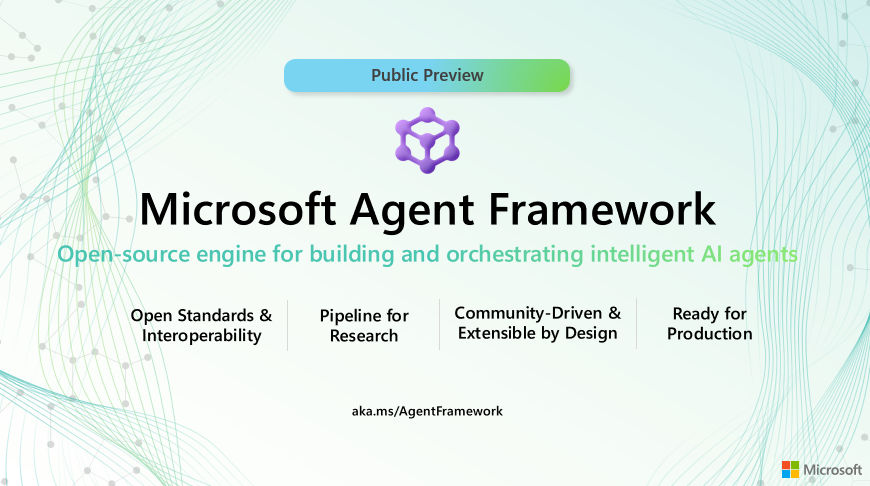
The current AI landscape is crowded with agentic coding tools and orchestration platforms. On one side you have a single, deeply integrated coding agent like FutureX. On the other you have the agent framework zoo: Microsoft Agent Framework, LangGraph, AutoGen, CrewAI, and a dozen other multi-agent runtimes. Choosing between them is not a matter of raw capability. It is a matter of system complexity, task structure, and the cost of coordination. This post lays out a decision framework that helps you decide when FutureX alone is the right call, and when a multi-agent framework genuinely pays off.
The Zoo: Single Agent vs Orchestration Frameworks#
An AI agent framework comparison has to start with what each category actually is. FutureX is an end-to-end agentic coding tool. It operates inside your repository, reads code, runs commands, edits files, and iterates until a task is complete. It is a single agent with a large context window, powerful tool use, and a workflow optimized for software engineering. You interact with it directly, give it a goal, and it produces a result.
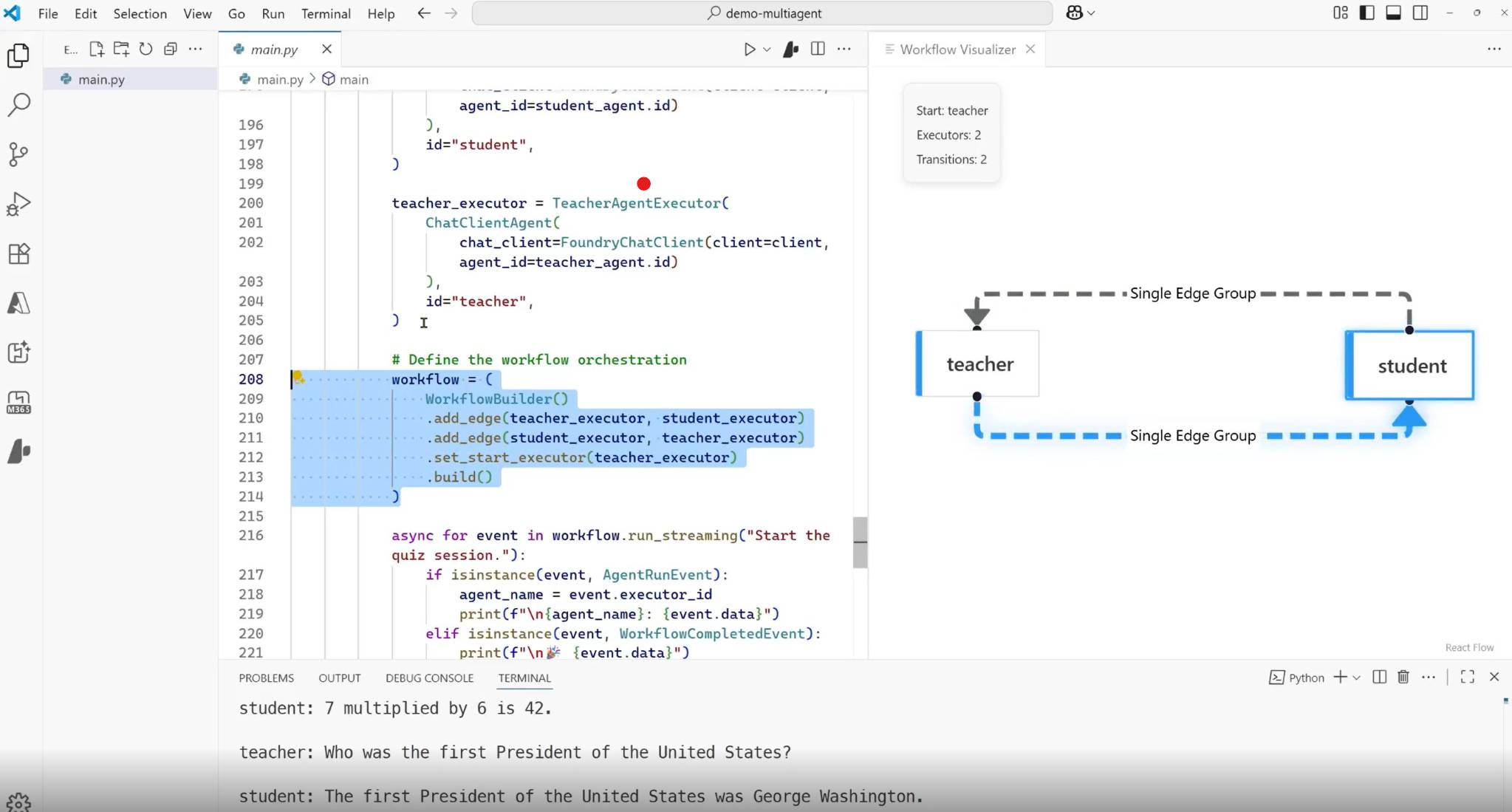
A multi-agent framework, by contrast, is a runtime for building systems made of many specialized agents. Microsoft Agent Framework and LangGraph give you primitives for defining agents, connecting them, sharing state, and controlling how they pass work to each other. They are not themselves coding tools. They are infrastructure. You bring the model, the prompts, the tools, and the coordination logic. The framework gives you a graph, a message bus, or a state machine on which to run that logic.
The pragmatic question is not which is better. It is which layer of abstraction matches the problem you are solving today.
What FutureX Is Good At#
FutureX is built for code. It understands build systems, test runners, linters, and the messy reality of a multi-file change. It can see the full repository state, make a plan, execute it, and self-correct when a test fails. This is the strongest possible use of a single agent because software engineering is a long-horizon task with tight feedback loops. You do not need to model the dependencies between a frontend change and a backend API change as separate agents. One agent with its own tools and memory can hold the entire picture and act on it.
For most day-to-day coding, a single powerful agent is also much easier to reason about. There is no inter-agent communication to debug, no global state to synchronize, no graph topology to maintain. You ask FutureX to implement a feature, fix a bug, or refactor a module, and it does it. The overhead is zero.
What Multi-Agent Frameworks Are Good At#
Multi-agent frameworks earn their complexity when the task is not a single continuous workflow but a set of loosely coupled workstreams that must interact. Examples include a researcher agent that gathers information, a planner agent that structures it, and a writer agent that produces a document. Another example is a customer support pipeline where a classifier agent routes requests to specialized handler agents. In those cases, the boundaries between agents are meaningful. Each agent might use a different model, tool set, or prompt strategy. The framework becomes the integration layer.
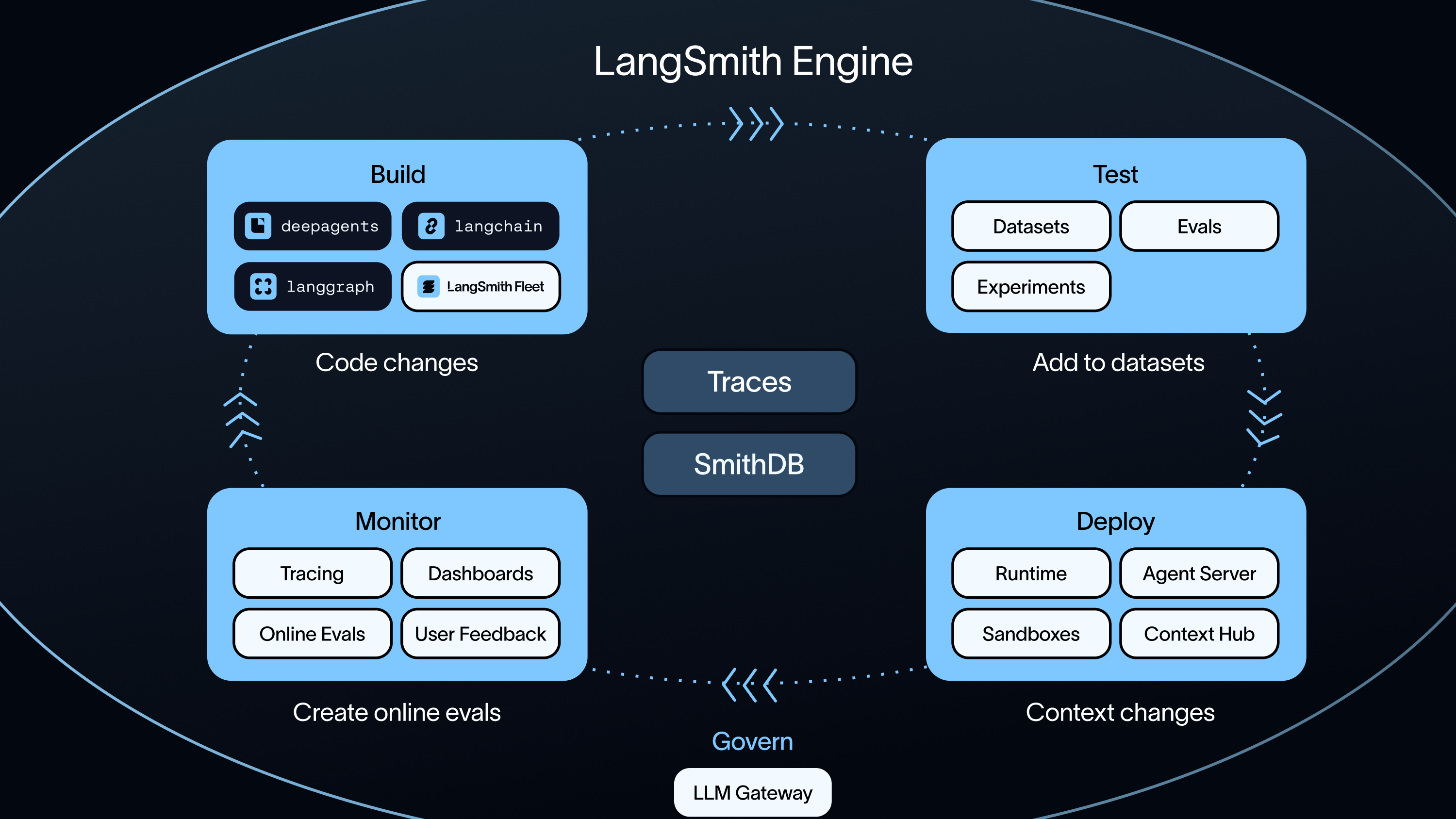
Microsoft Agent Framework, in particular, is aimed at building production agent applications that can run across Microsoft 365 surfaces and integrate with enterprise data. LangGraph is more general, offering low-level control over agent state machines and human-in-the-loop checkpoints. Both are excellent when you are building an application that happens to use AI agents. They are overkill when you are trying to complete a coding task.
Source: langchain.com
When One Agent Is Enough#
You need a coding agent, not an agent framework, when the bottleneck is code production. That sounds obvious, but many teams reach for multi-agent frameworks because they are excited about orchestration, not because the problem demands it. If you are doing vibe coding—sketching a feature, seeing a result, iterating on the output—FutureX is the right tool. The loop is tight and the agent already has all the tools it needs.
A useful rule of thumb: if your task can be described as "make the repository match this spec," one agent is enough. FutureX handles the rest. It does not need a separate agent to write tests, another to run them, and a third to fix the failures. It just does all of those things itself, in order, with a single context.
The Cost of Orchestration#
Every time you introduce a multi-agent architecture, you pay a cost. You pay for the framework itself, for the glue code that passes context between agents, for serialization and state management, and for debugging when an agent receives the wrong input. Those costs are not necessarily high in absolute terms, but they are always higher than zero. And they compound. A two-agent system is not twice as complex as a one-agent system. It is closer to four times as complex, because you now have to reason about agent A's output, agent B's expectations, and the channel between them.
Agentic coding tools like FutureX avoid that entirely. The model is the coordination layer. It decides when to run a command, when to read a file, and when to revisit a failed test. You do not write that logic yourself. The agent is the application. That is the right default for software engineering tasks.
What You Lose With a Single Agent#
There are real limits. A single agent has one context, one reasoning stream, and one focus. If you want to run hundreds of independent tasks in parallel, a single agent batching through them one at a time is slower than a fleet of agents. If you want different agents to use different tools, models, or policies, a single agent cannot easily switch personas mid-task. And if you are building a product where agents are visible to end users, you need the control and observability that a framework provides.
But note what these limits have in common: they are limits of process, not limits of capability. A single agent can still produce the code. It just may not be the most efficient architecture for a huge parallel workload or for a user-facing agent product. The decision framework below will make that explicit.
Source: devblogs.microsoft.com
When Orchestration Actually Pays Off#
Multi-agent frameworks are not inherently better, but they are better at specific things. You should consider a framework when at least one of the following is true.
The Task Is Genuinely Parallel#
If you have hundreds of independent code changes to make across many repositories, a single agent will be too slow. Frameworks like LangGraph allow you to spawn worker agents, give each a slice of work, and aggregate results. The coordination logic is simple: fan-out, collect, merge. That is a legitimate use of orchestration. Just be clear that the value comes from parallelism, not from the agents' ability to reason together.
The System Must Survive Partially Failing Agents#
In a single-agent workflow, if the agent makes a mistake, it usually notices and corrects. But if you are running a long-lived system in production—say, an automated document processing pipeline—you want per-step isolation. A multi-agent framework gives you retries, checkpoints, and timeouts per agent. Microsoft Agent Framework, for instance, is designed for enterprise reliability where each agent runs as a discrete unit with its own monitoring.
You Need Human-in-the-Loop at Specific Boundaries#
A single coding agent is interactive by nature. But when you are building an application where a human must approve an agent's output before it is passed to another agent, a framework gives you first-class support. You can define a checkpoint in the graph, pause execution, and resume when the human responds. Doing that with a single agent means writing a lot of custom logic.
You Are Composing Diverse Capabilities#
If one agent needs to query a database, another needs to call a third-party API, and a third needs to generate a natural language summary, orchestrating them as independent agents is reasonable. Each can use its own model, tools, and prompt strategy. FutureX could technically do all three steps, but if each step is developed and maintained by a different team, the agent boundaries become ownership boundaries. That is a software architecture decision more than an AI decision.
The Microsoft Agent Framework Case#
Microsoft Agent Framework is worth calling out specifically because it positions itself for enterprise scenarios: agents that plug into Microsoft 365, SharePoint, and Teams. If you are building internal tools that must integrate with those surfaces, the framework is a natural fit. It handles auth, exposes agents as extendable app components, and provides management and observability. None of that is about coding better. It is about deploying agents as part of a larger platform.
LangGraph is the opposite extreme on the same axis: minimal, model-agnostic state machines. If you need precise control over how agents pass control to each other, LangGraph is powerful. But that power is only worth it when you have a clear architecture in mind. If you cannot draw the graph before you start, the framework will not save you from a bad design.
A Decision Framework#
When you are choosing between FutureX and an agent orchestration framework, ask these questions in order.
1. Is the primary deliverable code?#
If yes, start with FutureX. The agent was built for this. Even if you eventually want a multi-agent system, the quickest way to a working implementation is to prototype the core coding loop with FutureX. You can always extract agents later.
2. Can the task be described as a single goal with iterative refinement?#
"Fix this test suite," "implement this API," "migrate this module"—these are single goals. FutureX handles them end to end. If your task instead has many independent subgoals that should be executed concurrently, you might need orchestration.
3. Do you need independent control over each step?#
A coding agent decides its own procedure. That is a feature, not a bug. But if you need exact control over which model handles which step, which tools each agent can access, and how steps are timed, you need a framework. The control is the reason to use it.
4. Will your agent system be embedded in a larger application?#
If you are building a product where end users interact with agents, the framework provides the runtime, persistence layer, and APIs you need. FutureX is a developer tool, not an application server. Do not try to bolt FutureX onto a web app. Use a framework with broader lifecycle support.
5. What is your tolerance for debugging coordination code?#
The biggest hidden cost of multi-agent frameworks is debugging. When output is wrong, you have to trace which agent produced it, what context it received, and why the next agent misinterpreted it. FutureX has a simpler failure model: the agent made a mistake, and it will try again. For most coding tasks, that simplicity is worth more than any orchestration feature.
A Heuristic#
Use this quick rule set to get an initial answer, then validate with your own context.
- Choose FutureX when the task is coding, the workflow is iterative, and you want the shortest path from requirement to working code.
- Choose a multi-agent framework when you are building a product or platform whose core value is the interaction of multiple specialized AI components.
- Choose Microsoft Agent Framework specifically when you need deep integration with the Microsoft ecosystem and enterprise management capabilities.
- Choose LangGraph when you want precise state machine control and plan to invest in custom agent infrastructure.
A practical middle path is also worth considering: use FutureX for the coding work and a framework only for the parts that are naturally distributed. For example, FutureX can generate parallel tasks, and a framework can coordinate their outputs. But do not start there. Start with the simplest system that works, measure, and add complexity only when the evidence demands it.
Conclusion#
The agent framework zoo is full of powerful primitives, but more complexity is not a feature. It is a trade. FutureX is your best choice for the vast majority of coding work because it collapses the entire loop into one agent: plan, edit, test, and fix. It is a coding agent, not a platform, and that is exactly what makes it effective.
Orchestration frameworks become necessary when you move beyond a single coding task into building distributed agent applications. There, the boundaries between agents are real, the infrastructure is justified, and the complexity pays off. Microsoft Agent Framework, LangGraph, and their peers are excellent at that job.
The right call depends on whether you are doing coding with agents or building agents that code. For the first, choose FutureX. For the second, pick a framework and design its graph carefully. And if you are not sure, start with the single agent. You can always orchestrate later.
Related reading
Breaking the Vibe-Coding Template with Design Fundamentals
Vibe coding produces generic AI-generated UI by default; this practical guide shows how FutureX applies typography, color theory, and visual hierarchy to create unique web design.
vibe coding6 min read

From Prompt to Production: The FutureX Playbook
A step-by-step FutureX playbook for non-developers that turns a natural language prompt into a production-ready SaaS while avoiding the debt and security traps of vibe coding.
FutureX5 min read
The Reality Check: What Vibe Coding Still Doesn't Do for You (and How FutureX Fills the Gaps)
An honest look at where vibe coding breaks down and how FutureX's iterative, human-in-the-loop workflow covers debugging, security, and scaling.
vibe coding5 min read