From Autocomplete to Autonomous: Where FutureX Fits
A survey of the CLI coding agent landscape in 2026 and an argument for why FutureX's terminal-first, autonomy-first design is the next step in agentic coding.
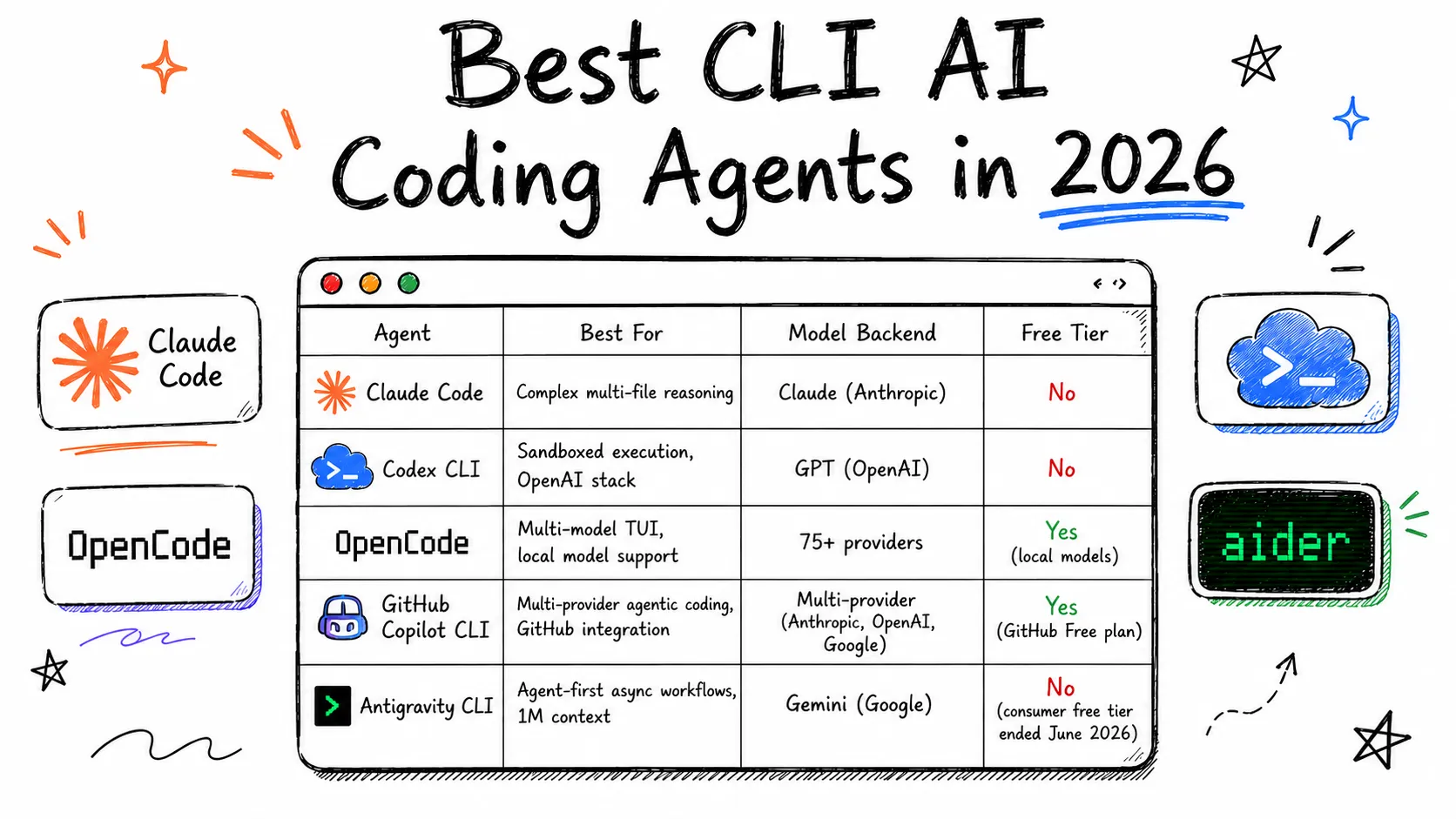
The command line never went away. It just got quiet for a decade while graphical IDEs absorbed most of the developer's attention. Now, with the rise of agentic coding, the terminal is back at the center of the workflow — and a new generation of CLI coding agents is redefining what it means to delegate real engineering work to software. This post surveys the current landscape of terminal AI agents, breaks down the capabilities that separate autocomplete from genuine autonomy, and argues that FIM's FutureX represents the next step in that evolution.
From Autocomplete to Agent: How We Got Here#
The First Wave: Completion#
The first generation of AI coding tools was narrowly scoped: suggest the next token, complete the current line, maybe fill in the function body. These tools were bolted onto editors and operated at the cursor. They were useful, but they had no concept of the codebase beyond what fit in a snippet, and no ability to take action. The human remained the orchestrator at every step.
The Second Wave: Chat in the Editor#
The second wave added conversation. Developers could ask questions in natural language and get code back in a panel alongside the editor. This was a meaningful leap — context moved from the cursor to the whole file, and eventually to a repository index. But the loop was still fundamentally human-in-the-middle: the model proposed, the developer copy-pasted, and nothing changed on disk without a manual intervention.
The Third Wave: CLI Coding Agents#
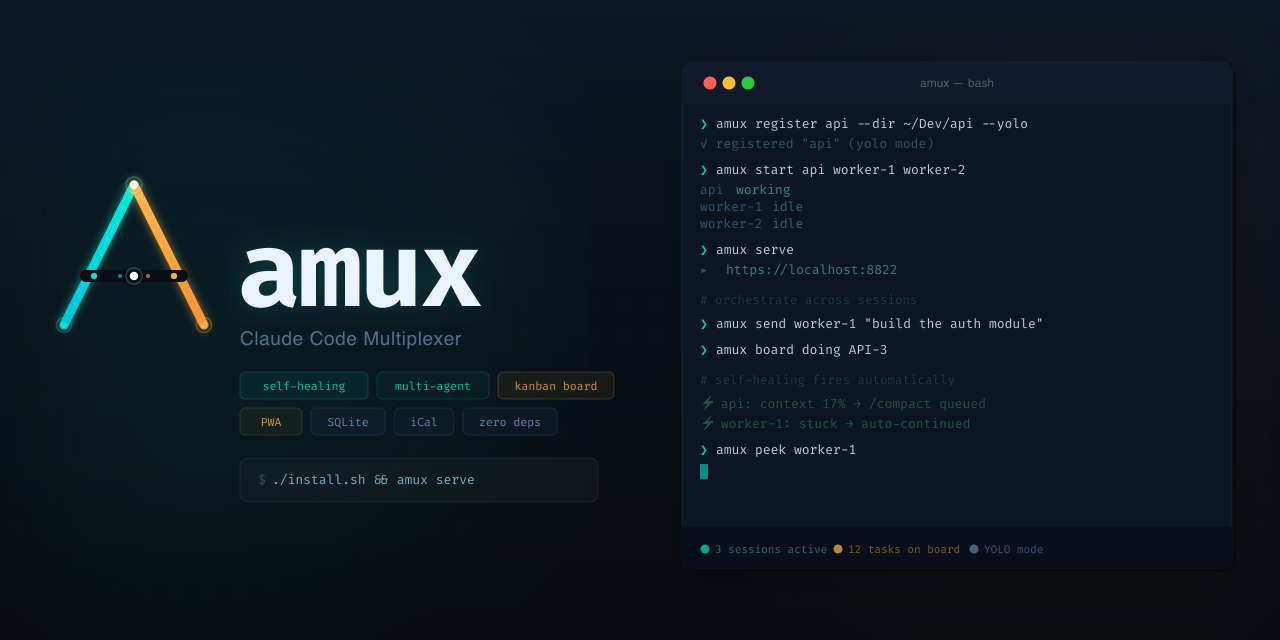
The third wave changed the unit of interaction. Instead of generating fragments that a human integrates, the tool becomes an agent operating in a real environment: it reads files, edits them, runs commands, executes tests, and iterates until a goal is met. These tools live in the terminal — the one place where every language, every build system, and every deployment pipeline already has an interface.
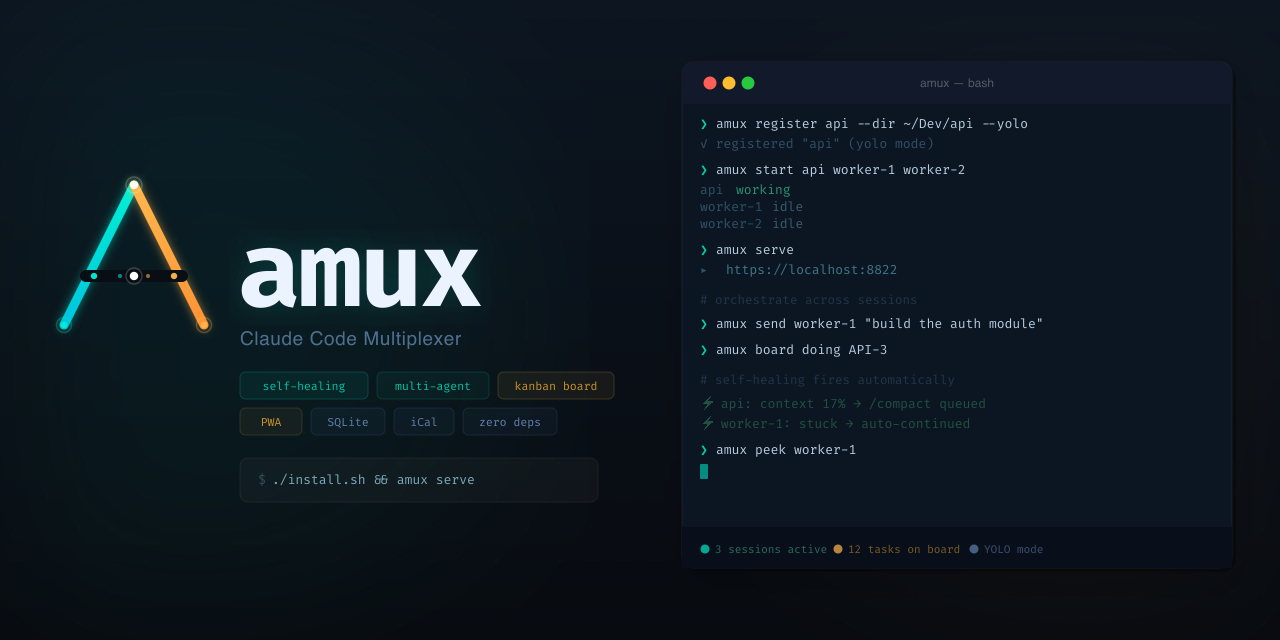
Source: amux.io
The Current Landscape of Terminal AI Agents#
By 2026, the CLI agent space is crowded. Claude Code popularized the pattern of an interactive agent that can inspect a repository, propose changes, and run commands with the user's approval. Codex CLI brought a similar agentic loop with strong integration into GitHub workflows. OpenCode took an open-source-first approach, emphasizing extensibility through plugins and a scripting interface. Each of these tools has pushed the category forward, but they also share a collection of assumptions worth scrutinizing.
The Shared Assumptions#
Most current CLI coding agents are, at heart, chat interfaces that gained the ability to execute. You type a request, the agent plans, it takes a few actions, and it asks for confirmation at checkpoints. This is a huge improvement over copy-paste, but it still places the human in the loop for nearly every meaningful decision. The agent proposes; the human disposes.
There is also the context problem. A repository is not a single file. Agents need to navigate dependency graphs, understand build configuration, reason about test fixtures, and correlate runtime errors with source code. Tools that rely purely on conversation history and a shallow file tree will hit a ceiling quickly.
What Actually Separates a Tool from an Agent#
The word "agent" is overused, but a few concrete capabilities separate a genuine agentic coding tool from a glorified autocomplete.
A Plan-and-Execute Loop#
A real agent builds a plan, executes it, observes the results, and revises the plan. In practice, that means the agent must be able to run the test suite, read the failures, and adjust its approach — not just emit code and hope.
Environment Awareness#
The agent needs to understand what is actually in the repo: the language toolchain, the build commands, the linters, the test runner. This awareness has to be acquired dynamically rather than hardcoded, because every repository is different.
Safe, Composable Execution#
The ability to run arbitrary shell commands is powerful and dangerous. The best CLI agents implement sandboxing and explicit approval policies: run read-only commands freely, but ask before mutating files or touching remote state. This is where trust is built.
Memory and Context Management#
Autonomy at scale requires the agent to manage its own context. That means summarizing intermediate results, discarding irrelevant history, and pulling in the right files at the right moment. The agent needs to be its own context manager.
Why FutureX Is Terminal-First by Design#
FIM built FutureX around the terminal because the terminal is the one universal interface in software development. Editors come and go. Language servers change. But every developer, in every language, can express a build, a test, or a deploy in the shell. A terminal-first agent can therefore work anywhere without requiring a specific editor plugin or IDE version.
Designed for Autonomy, Not Just Assistance#
FutureX was designed from the ground up as an autonomous worker rather than an assistant. Its loop is structured around goals, not turns. You give it a task — "refactor the auth module and get the tests green" — and it breaks the work down, sequences the steps, and reports back with evidence: diffs applied, tests run, and the specific commands it executed along the way.
Deep Repository Grounding#
Where many CLI agents treat the repository as a chat attachment, FutureX treats it as the environment. It dynamically discovers the project's toolchain, identifies the relevant files through targeted search, and maintains a working model of the dependency graph. This grounding is what makes its plans realistic — and its results verifiable.
Source: dev.to
FutureX in Practice: From Prompt to Pull Request#
A typical session illustrates the difference. Ask FutureX to "add rate limiting to the API gateway." A conventional assistant might produce a snippet. FutureX, in the terminal, will:
- Inspect the gateway's routing code to understand how middleware is currently wired.
- Check the dependency manifest to see what rate-limiting libraries are available.
- Implement the middleware, wire it into the router, and add configuration.
- Run the relevant test suite, observe the failures, and fix them.
- Run the linter and format the code to match the project's style.
- Summarize the changes and the rationale in a handoff that is ready to become a pull request description.
Every step is visible in the terminal. You can interrupt at any checkpoint, approve or reject individual commands, or let FutureX run while you review the transcript afterward. This is the agentic coding pattern: the human sets the destination, the agent handles the route — and the terminal provides the paper trail.
The Next Step for Agentic Coding#
The trajectory is clear. First wave: autocomplete at the cursor. Second wave: chat in the editor. Third wave: agents that act in the terminal. The fourth wave, which FutureX is built for, is agents that are trusted with multi-step, cross-file work and held accountable through transparent, replayable session logs.
The terminal-first approach is not a retro choice; it is the most practical foundation for autonomy in software development. It works with every language, every toolchain, and every CI system already in use. It makes agent actions auditable. And it lowers the barrier to adoption for developers who never left the shell in the first place.
Source: devtoollab.com
CLI coding agents are the defining AI coding tools of 2026, and the gap between chat-with-execution and true autonomous work is exactly where the value is being created. FutureX sits on the right side of that gap — terminal-native, repository-aware, and designed for delegation rather than suggestion.
As the category matures, the winners will not be the tools with the largest context windows or the flashiest demos. They will be the tools that earn trust through verifiable action. That is the bar FutureX is engineered to meet — and the reason the terminal is where the future of agentic coding will be written.
Related reading
The Terminal Is the IDE: Why FutureX for Terminal-Native Development
FutureX turns the shell into a complete development environment, proving that terminal-native coding is not a compromise but the ideal surface for agentic programming.
terminal-native coding5 min read
FutureX vs. AI-Native IDEs: Why the Coding Agent Is the New IDE
FutureX is not another AI feature bolted onto an editor — it is a standalone coding agent that replaces the IDE paradigm itself.
FutureX10 min read
FutureX vs. the Agent Framework Wars: Built-In Beats DIY Orchestration
A technical look at why a purpose-built terminal AI agent like FutureX beats assembling AI agent frameworks by hand, and where the complexity really lives.
AI agent frameworks5 min read