FutureX vs. GitHub Copilot CLI: Terminal Agent Showdown
A technical comparison of FutureX and GitHub Copilot CLI as terminal AI agents, covering model control, workflow, integration, cost, and security for vibe coders.
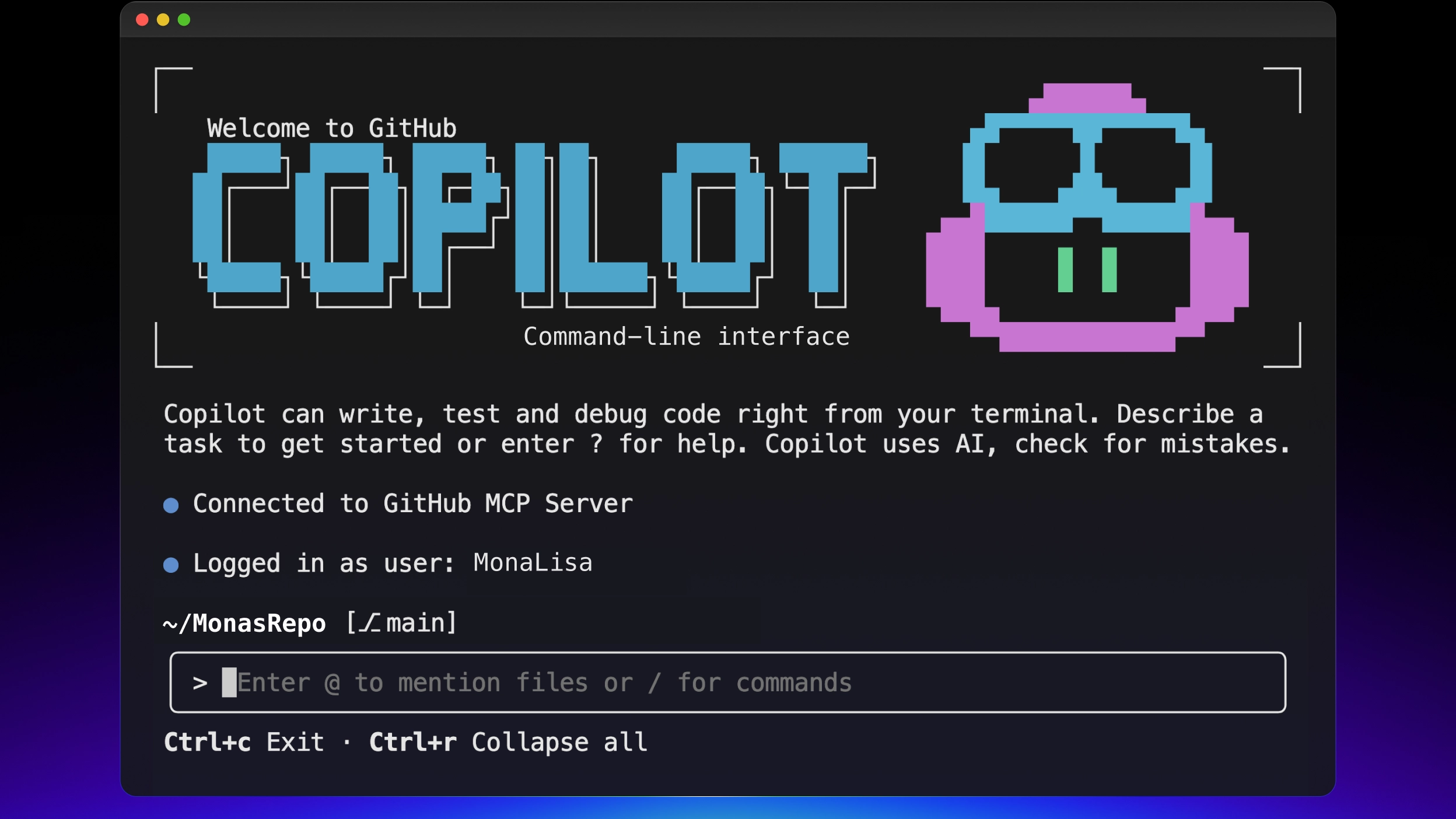
The terminal is where serious coding happens, and for the past year it has also become the battlefield for AI agents. On one side, GitHub Copilot CLI brings a familiar name and tight GitHub ecosystem integration. On the other, FutureX is built from the ground up as a terminal-first AI agent with explicit model choices (fx-pro, fx-fast, fx-mini, fx-eco) and an open integration model. This is the AI coding comparison most developers are missing, and it matters more than ever for vibe coders who want to stay in flow without handing over control of their environment.
The Terminal-First Divide#
GitHub Copilot CLI is not a standalone product; it is an extension of GitHub's Copilot subscription. To use it, you need an active Copilot plan, and the commands it runs are executed inside GitHub's sandboxed environment. That means your terminal sessions, your tool invocations, and even your prompts are mediated by GitHub's infrastructure. For developers who already live in GitHub, this is convenient. For everyone else, it is an unnecessary layer of indirection.
FutureX takes the opposite approach. The agent runs directly in your local shell, reads your current directory, and talks to the tools you already use. There is no mandatory cloud sandbox, no subscription gate, and no requirement that your repositories live on a specific hosting platform. You can run FutureX against a local Git repository, a self-hosted Git server, or even a directory that is not under version control yet. This terminal-first posture is the core philosophical difference between the two tools.
Where the Code Actually Runs#
When you ask GitHub Copilot CLI to run a command, it goes through a remote sandbox to decide what to do, then returns the result. That introduces latency, and it means the sandbox needs access to your repository context. For small scripts, this is fine. But for large monorepos or projects with heavy local dependencies, the round-trip becomes a real bottleneck.
FutureX executes commands directly on your machine. The agent builds a plan, proposes shell commands, and runs them with your explicit approval (or in an auto-approve mode you configure). This gives you sub-second feedback on simple file edits and lets the agent interact with local services, database engines, and build tools exactly as a human developer would. For vibe coding, that immediacy is what separates a tool that feels like an assistant from one that feels like a remote API.
Model Choice: Picking the Right Engine#
GitHub Copilot CLI locks you into whatever model GitHub decides to expose through its backend. You get no control over which reasoning engine processes your prompts, how much it costs you per request, or whether you use a fast model for a trivial rename versus a deep model for a refactor. It is a one-size-fits-all black box.
FutureX exposes four distinct model tiers, each designed for a different part of the coding workflow:
- fx-pro: the flagship model for complex multi-step reasoning, architecture analysis, and difficult debugging sessions.
- fx-fast: optimized for low latency and interactive turn-by-turn work, ideal when you are in the middle of a long edit loop.
- fx-mini: a compact model for simple transforms, formatting, and straightforward code generation where speed and cost matter most.
- fx-eco: the budget option for bulk operations, test fixture generation, or anything where you do not need deep reasoning.
You can switch models mid-session with a single command. That flexibility is central to an honest AI coding comparison. When you are vibe coding, you do not want to pay a 20-second reasoning fee to change a variable name. With fx-mini, the same operation returns in under a second. When you are designing a complex algorithm, you can escalate to fx-pro and get the full context window and deliberative reasoning.

Source: hanzla-baig-blogs.vercel.app
The practical result is that FutureX can fit your actual budget and your actual tolerance for waiting. GitHub Copilot CLI's opaque backend means you are always using the model GitHub decides is appropriate, and you have no way to opt into a cheaper or faster tier when you are doing routine work.
Workflow Differences for Vibe Coders#
Vibe coding is about staying in a mental state where you can translate fuzzy intentions into correct code quickly. GitHub Copilot CLI has an interactive mode that lets you ask questions and get diffs, but it is fundamentally a chat interface grafted onto the terminal. You prompt, it responds. To make changes, you often need to copy the generated output or use its custom slash commands.
FutureX is an agentic system. You give it a high-level goal, and it plans a sequence of steps: read the relevant files, run the existing test suite, make the minimal change, run the tests again, and report the outcome. It does not wait for you to tell it every command. Instead, it proposes a plan, asks for approval, and then executes it in your real environment. This loop is closer to a pair programmer than a chat bot.
For example, let's say you are debugging a flaky test in a Node.js project. With GitHub Copilot CLI, you can ask it to inspect the test file, and it will show you snippets, but the actual context gathering—running the test, tracing logs, checking environment variables—remains your job. With FutureX, you can say:
futurex debug the flaky test in ./tests/api.test.js
The agent will run the test, capture the failure, read the relevant implementation, and propose a fix. You review the diff, approve, and the agent runs the test again to verify. That is the terminal AI agent experience vibe coders actually want: less context-switching, more flow.
Permissions and Trust in the Loop#
FutureX also gives you fine-grained permission controls. You can define an allowlist of commands the agent can run without asking, deny dangerous operations like rm -rf /, or switch to a fully interactive mode where every command needs a keystroke. This is important for people who want to let the agent fly but still maintain a safety net. GitHub Copilot CLI's sandbox abstracts that decision away from you, which is safer in one sense but also limits what the agent can accomplish in your local environment.

Source: github.com
Open Integration and Automation#
The phrase "open integration" gets thrown around a lot, but in the terminal agent space it has a concrete meaning. FutureX is distributed as a standalone binary and exposes a clean CLI interface. That means you can invoke it from a shell script, pipe input to it, parse its output in CI, or chain it together with other tools. It also supports MCP (Model Context Protocol) servers, so you can connect it to internal documentation systems, database schemas, or custom validation tools without waiting for a vendor to add a plugin.
GitHub Copilot CLI is designed to be used by a human sitting at a terminal. There is no official headless mode, no programmatic access to its reasoning loop, and no way to embed it in an automated workflow outside of the GitHub ecosystem. If you want to build an agent that files a GitHub Issue, updates a Jira ticket, and then runs a test suite, you need the embedding surface to be open. FutureX gives you that surface today.
A simple example is wiring FutureX into a commit hook:
futurex run "write a conventional commit message for the current diff" --output=message.txt
git commit -F message.txt
This works because FutureX reads the diff from the local Git index, generates the message, and emits plain text you can capture. Doing the same with GitHub Copilot CLI would require screen scraping or manual copy-paste.

Source: hanzla-baig-blogs.vercel.app
Cost Structure and Scalability#
GitHub Copilot CLI is bundled with GitHub Copilot. You pay a flat monthly fee per seat, and that fee includes the terminal agent. For an individual developer, that is simple and predictable. But for teams that run thousands of automated coding tasks, the flat rate no longer looks so cheap. You are paying for a seat, not for usage, and the workload is either idle or throttled.
FutureX charges per token, but because you control which model you use, you can aggressively optimize costs. Routine code formatting goes to fx-eco, which is dramatically cheaper than a full reasoning run. Complex architecture discussions go to fx-pro, where the cost is justified. For a small team, that means you can run hundreds of agentic tasks per day without a huge bill. For an enterprise, it means you can meter usage per project and charge back to the right owner.
Cost transparency also changes the incentive structure. With GitHub Copilot CLI, you never know whether a prompt is eating into a hidden rate limit or a throttled queue. With FutureX, you see token counts and costs for every session. You can set budgets, log them to a file, and alert when a particular workflow is too expensive. That level of observability is rare in this space.
Scaling from Interactive to Automated#
Vibe coding at scale means moving from interactive sessions to unattended automation. FutureX can run as a daemon, accept jobs over a Unix socket, or be driven by a CI runner. GitHub Copilot CLI is not built for that. If your team wants to automatically generate pull request descriptions, review every newly added file for common mistakes, or refactor a codebase overnight, you need an agent that is as comfortable in a batch job as it is in a live terminal session.
Security and Trust Boundaries#
GitHub Copilot CLI's sandbox is designed to protect the caller from malicious prompts. By running code in a remote environment, GitHub can prevent a prompt from accidentally deleting local files. That is a real benefit, but it comes with a tradeoff: the agent cannot access your local environment's secrets, private network, or special build tools. For many development tasks, that makes the agent dramatically less useful.
FutureX takes a different approach. It runs locally and gives you the tools to establish trust boundaries yourself. You can run it inside a container, restricted user, or a VM. You can set environment variables that limit what it can see, and you can audit every command it suggests. The agent does not phone home unless you explicitly configure a remote model endpoint. For companies that handle sensitive code, this is often the deciding factor.
The question is not whether an agent should be trusted by default; it is whether you have the ability to set and enforce your own trust policy. GitHub Copilot CLI hands that responsibility to GitHub's sandbox. FutureX hands it to you. For vibe coders who are experimenting with potentially dangerous refactors, having a local kill switch—and the ability to see every command before it runs—is a comfort you cannot get from a remote sandbox.
The Verdict: Choose the Agent That Fits Your Workflow#
Neither tool is universally better. GitHub Copilot CLI is the right choice if you live inside GitHub, want a chat assistant in the terminal without any setup, and are comfortable with opaque model selection and a subscription cost. FutureX is the right choice if you want a true terminal AI agent that can run automated workflows, integrate with your existing toolchain, keep your code local, and let you choose between fx-pro, fx-fast, fx-mini, and fx-eco based on the job at hand.
For the growing population of vibe coders who care about flow, control, and cost, FutureX's architecture is more aligned with the way coding actually happens. The terminal agent war is real, and the winner is the tool that treats the terminal as the center of the universe, not an afterthought. FutureX does that today.
Related reading
Vibe Coding Beyond Autocomplete: Why FutureX Beats Copilot CLI for Whole-Project Prompts
FutureX treats the entire repository as a promptable unit, letting you vibe a feature end-to-end while Copilot CLI still forces you through autocomplete-era diff babysitting.
vibe coding7 min read

FutureX vs. the Agent Framework Wars: Built-In Beats DIY Orchestration
A technical look at why a purpose-built terminal AI agent like FutureX beats assembling AI agent frameworks by hand, and where the complexity really lives.
AI agent frameworks5 min read

The Future of Vibe Coding: 7 Trends Every Developer Should Know
A developer-focused look at the seven vibe coding trends that will define 2026, and how FutureX's roadmap is built around them.
vibe coding7 min read