From 5 Free Prompts to Production
A practical guide to FutureX's zero-friction onboarding: five free prompts with no signup, the chat-to-refactor workflow in VS Code, and what happens after the free tier.
Most AI coding tools demand a credit card before they prove a single thing. That one form field is a wall: it assumes trust before value, and for developers burned by overhyped assistants, it is enough to close the tab. FutureX takes the opposite route. You run the FutureX install in VS Code, and your first five prompts are free — no sign-up, no card, no countdown timer. This post unpacks that zero-friction path, shows how the chat-to-refactor workflow turns five prompts into a production-ready diff, and explains what happens after the FutureX free tier ends.
The Activation Barrier in AI Coding Agent Onboarding#
Adoption is not a documentation problem; it is an activation problem. When a developer tries a new AI coding agent, three questions surface immediately: Does it understand my codebase? Can it edit files without breaking them? Is the setup cost worth it? If the answer to the third question involves creating an account, confirming an email, and typing billing details, most developers never reach the first two.
A no signup coding tool removes that entire sequence. With FutureX, the flow is: install the extension, open the chat panel, and ask. FutureX operates in the local workspace, reads the relevant files, and answers the first prompt immediately. No onboarding survey, no five-minute indexing spin, no "we will email you when your spot opens." Just a cursor and a real question about real code.
Why Friction Decides Adoption#
From the product side, friction filters out unserious users. From the user side, friction is the difference between trying a tool today and shelving it forever. The FutureX free tier treats those first five prompts as the demo. That is enough to trace a bug, rename a service, or clean up a legacy module without committing to anything.
The Chat-to-Refactor Workflow in VS Code AI Chat#
FutureX is not a snippet generator. Its core workflow in VS Code AI chat is conversational refactoring: you describe the outcome, and FutureX edits the working tree directly, showing the diff inline. You review, accept or reject, then iterate.
The distinction matters. Paste-in-the-snippet tools force you to integrate the output yourself, which means the AI is doing the easy part and you are doing the risky part. With FutureX, the extension resolves imports, updates references, and reruns the linter — so the diff becomes the contract between you and the tool.

Source: marketplace.visualstudio.com
What Five Free Prompts Actually Cover#
Five prompts sounds small until you consider what one well-scoped prompt can do. A single prompt can rename a symbol across the repository, extract a function from a nested callback, add error handling to an API route, generate tests for an untested module, or explain a call chain across three files. Each is a meaningful unit of work; five is a meaningful evaluation.
A Practical Walkthrough: From Prompt to Production#
Imagine you inherited a Node.js service nobody wants to touch. Your goal is one small production change that also proves the tool to yourself. Here is how the five free prompts play out.
Prompt 1: Reconnaissance#
"Summarize the request flow from the HTTP handler to the database layer. List the files involved, the async boundaries, and any missing error handling."
FutureX answers with a map of the codebase. This prompt alone builds trust because it shows the tool reads structure, not just syntax.
Prompt 2: Scaffold the Change#
"Add a soft-delete flag to the orders table and update the repository methods to filter on it."
FutureX reads the schema, writes the migration, adjusts the repository, and presents the diff for review.
Prompt 3: Refactor the Call Sites#
"Find every call site of find() and update the callers that should include deleted orders."
This is where the chat-to-refactor workflow shines. Instead of returning a snippet to paste, FutureX edits each file in place and shows a per-file diff.
Prompt 4: Tests#
"Write unit tests for the soft-delete filter, including the case where includeDeleted is not passed."
The fourth prompt produces tests that match your existing framework and conventions, so the suite stays consistent rather than introducing a foreign style.
Prompt 5: Verification#
"Check whether the migration is idempotent and flag any lingering references to the deleted column."
Five prompts, one coherent change, from reconnaissance to a shippable diff. That is the activation barrier, removed.
What Happens After the FutureX Free Tier#
Once the five prompts are spent, FutureX asks you to authenticate. Still no credit card — an FIM account is free — but the session moves from anonymous evaluation to a tracked workspace. This is where the free tier ends and real usage begins.
Runtime Tiers for Different Workloads#
FutureX offers four runtime tiers: fx-pro for deep architectural reasoning and complex refactors, fx-fast for low-latency chat and mechanical edits, fx-mini for lightweight completions, and fx-eco for batch work where cost matters more than speed. The five free prompts run on a balanced default; after authentication you can route individual prompts to the tier that fits the task. A typical production split: fx-pro for the refactor itself, fx-fast for renames and formatting, fx-eco for generating tests across many files.
What Authentication Unlocks#
Beyond routing tiers, authentication brings session history, long-running agent sessions, and multi-project context. The chat-to-refactor workflow scales to multi-file migrations, cross-service changes, and legacy modernization — the same interaction, just with memory and scope.
Conclusion: From Skeptic to Shipping#
AI coding agent onboarding is not a pricing problem; it is a trust problem. Developers have learned to expect either a gutted free tier or a credit-card gate that punishes curiosity. FutureX threads the needle: enough power to do real work, zero commitment to evaluate it, and a clear upgrade path that appears only after value is proven.
If you are still skeptical, that skepticism is exactly what the free tier is for. Open VS Code, run the FutureX install, and spend five prompts on a refactor you have been delaying. The barrier to entry is a single keystroke; the proof is in the diff.
Related reading

I Used FutureX to Build a Bot in 3 Days: Costs and Lessons
A hands-on cost analysis of building a FutureX bot in three days, including the debugging traps, wasted API calls, and the exact process changes that would have cut the bill in half.
FutureX9 min read

Building an Internal Tool with FutureX: Token Costs and 3 Mistakes
A transparent breakdown of the token bill from building an internal dashboard with FutureX, including the three prompt and workflow mistakes that doubled it and how to avoid them.
FutureX11 min read
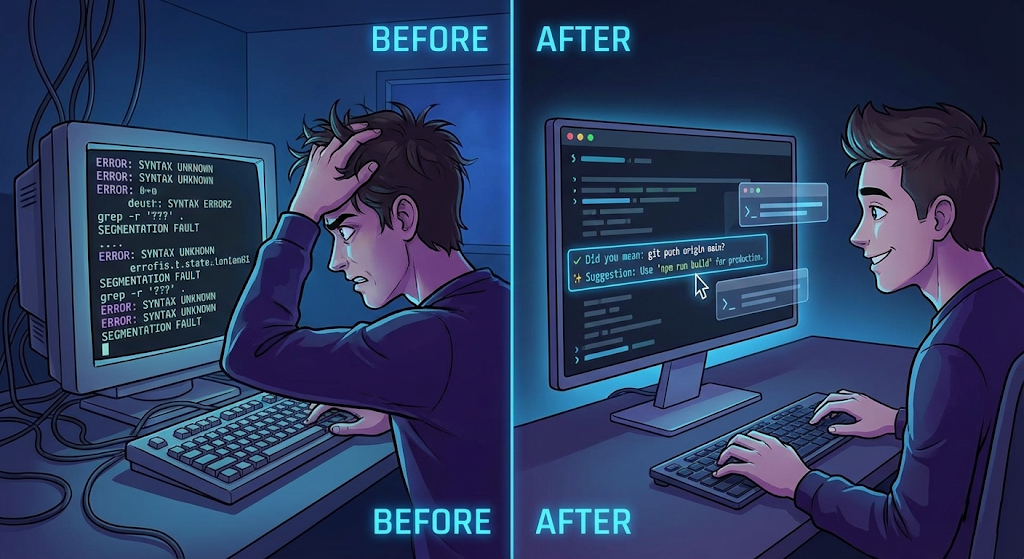
FutureX: Elevating VS Code's Terminal Suggest to Intelligent Command Generation
Discover how FutureX transforms VS Code's Terminal Suggest feature from simple autocomplete into an AI-powered command generation engine that understands context, generates multi-step commands, and enforces safety checks.
VS Code6 min read