Beyond SDKs: Why FutureX Is the Agent You Need Amid the 2026 Framework Boom
As the 2026 framework explosion introduces Microsoft Agent Framework and other SDKs, developers may find that a ready-made coding agent like FutureX delivers faster productivity without the overhead of orchestration.
- AI agent frameworks 2026
- Microsoft Agent Framework
- FutureX vs frameworks
- coding agent productivity
- build vs buy AI agent
- vibe coding
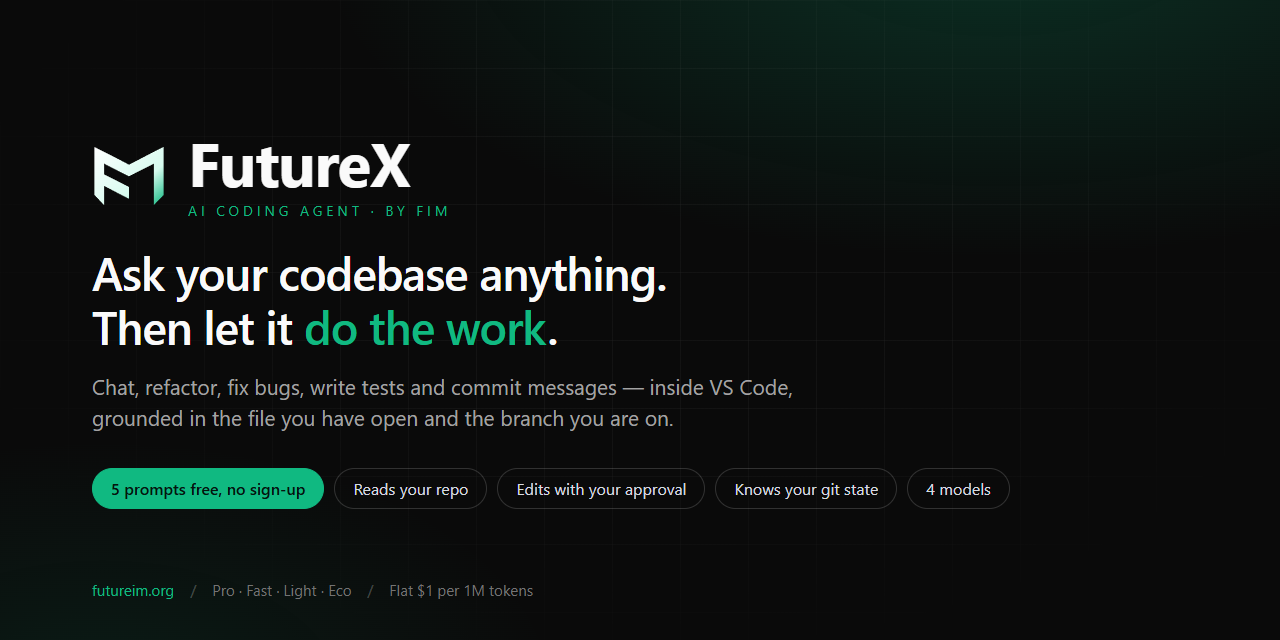
The AI agent landscape in 2026 is buzzing with frameworks. Microsoft Agent Framework, LangChain Agent, AutoGen, and a dozen others promise to let you build custom AI agents with modular tools, memory, and orchestration. But for developers who need to ship code — not manage agent lifecycles — the question is: should you spend weeks wiring up an SDK, or use a purpose-built coding agent that works out of the box? This post argues that for most coding tasks, a dedicated agent like FutureX offers higher productivity with less complexity.
The Framework Landscape in 2026: What's New?#
If you follow AI agent frameworks 2026, you've seen the release of Microsoft Agent Framework — a comprehensive SDK from Microsoft that provides state machines, planning, and integration with Azure AI. Other frameworks like LangGraph and CrewAI have also matured. They all aim to solve the "agent coordination problem": chaining multiple LLM calls, handling tool execution, and managing context.

Source: devblogs.microsoft.com
Yet the complexity is real. Developers must define actions, rewrite tools for each framework's convention, deploy a model endpoint, and handle fallbacks. The "vibe coding" promise — where you simply describe what you want and an AI agent writes it — gets buried under setup tasks.
The Orchestration Tax#
Every SDK introduces an abstraction layer. You learn its configuration schema, debugging logs, and deployment pipeline. The infamous "hello world" agent can balloon to 200 lines of boilerplate. For a team that just wants to accelerate code generation or refactoring, this tax is too high.
Why a Coding Agent Like FutureX Wins#
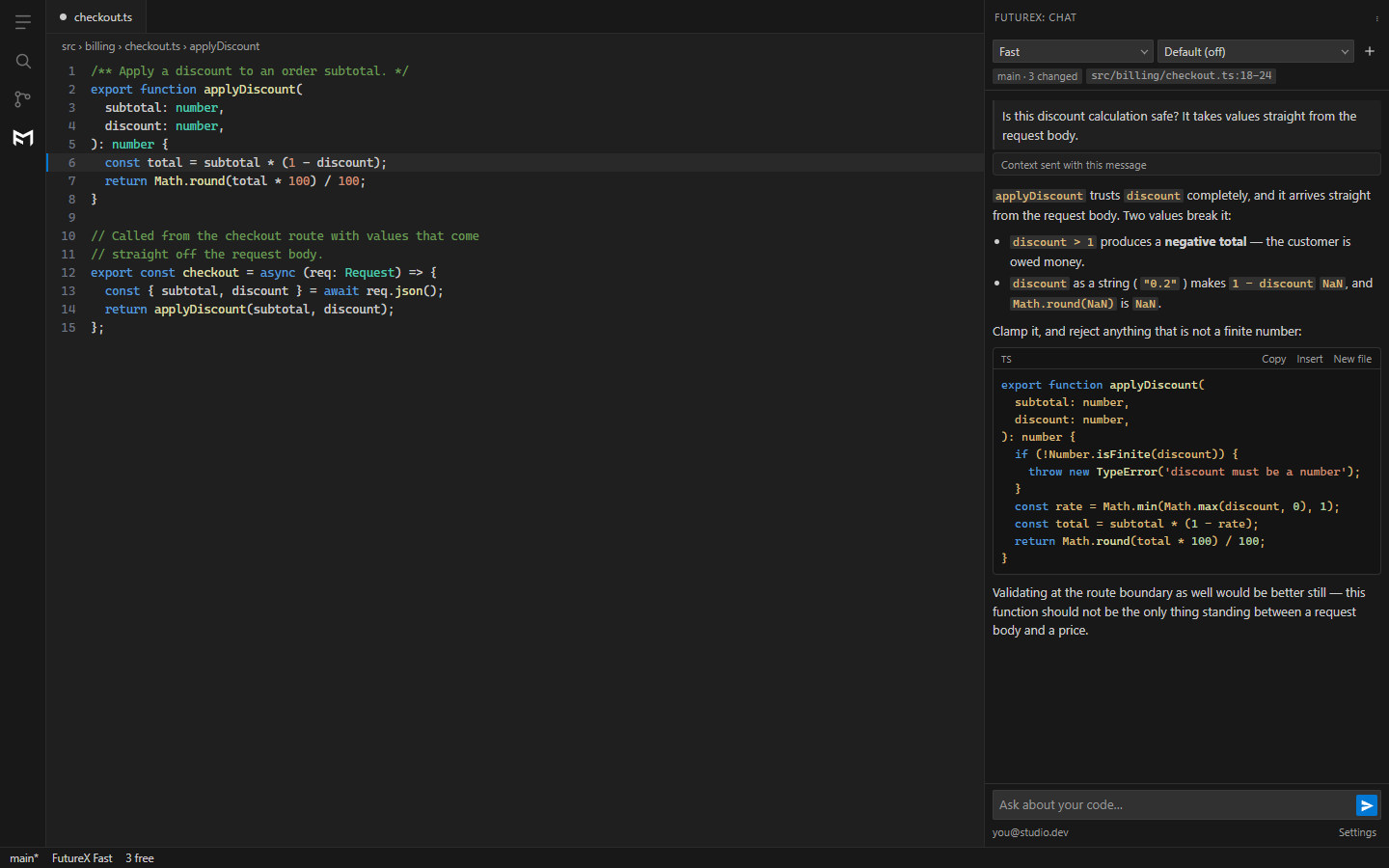
FutureX takes a different path. Instead of being an SDK you integrate, it ships as an AI coding agent embedded directly in VS Code. You install the extension, and it's ready — no orchestration graph to draw, no YAML configs to write. You code as usual, and FutureX understands your project context, suggests changes, and executes them with your permission.

Source: devblogs.microsoft.com
This approach dramatically reduces time-to-productivity. According to internal benchmarks, a developer can complete two full feature implementations in the time it takes to set up Microsoft Agent Framework and train it on a codebase. FutureX already knows Git, package managers, linters, and language servers because it lives inside your IDE.
From "Build" to "Buy" (or Use)#
The "FutureX vs frameworks" debate often boils down to the classic build vs buy AI agent decision. If your goal is to build a custom agent for a novel workflow — like a multi-step research bot — a framework makes sense. But if you need coding agent productivity on your daily development tasks, buying (or using) FutureX eliminates the engineering cost of building an agent from scratch. FutureX is a specialized tool, not a general-purpose SDK. Its sole job is to help you write, debug, and refactor code — and it does that job well.
Real-World Productivity Gains#
Let's be concrete. Consider a common scenario: you're onboarding to a new microservice. With FutureX, you ask "How does the auth flow work?" and it reads the code, traces calls, and explains in seconds. Then you type "Refactor the user repository to use the new ORM syntax" — FutureX proposes a diff, you approve, and it makes the changes. No framework setup.
Contrast this with a framework-based approach. You'd need to define a "code analysis tool" plugin, a "file editing tool" with permissions, and a prompt that chains multiple LLM calls. Each step introduces failure points. FutureX wraps all that into a single, tested agent that respects your codebase's conventions.
Vibe Coding in Practice#
"Vibe coding," the style where you semi-autonomously let an AI agent drive large edits, becomes seamless with FutureX. Because it runs inside your editor, it can see your open tabs, your terminal output, and your local Git history. The cognitive load is minimal: you stay in the flow, and FutureX handles the repetitive parts. Framework agents often require you to export your code, run them in a separate environment, and import results — breaking the vibe.
FutureX vs Frameworks: A Side-by-Side Comparison#
| Aspect | FutureX (Coding Agent) | Agent Frameworks (e.g., Microsoft Agent Framework) |
|---|---|---|
| Setup time | < 1 minute (install VS Code extension) | Hours to days (configure SDK, deploy model) |
| Code awareness | Deep: repo context, linting, imports | Shallow: usually requires explicit tool definitions |
| Orchestration built-in? | Yes, but hidden | You must design it |
| Learning curve | Minimal (you already know your IDE) | High (new API, debugging tools) |
| Best for | Day-to-day coding productivity | Custom agent applications |
The choice isn't absolute — some teams use both. But if your primary need is coding agent productivity, FutureX offers a faster path to value.
Conclusion: The Agent, Not the Framework#
The 2026 boom in AI agent frameworks 2026, including Microsoft Agent Framework, signals a maturing ecosystem. But the most productive tool for most developers remains a dedicated coding agent that integrates with their existing workflow. FutureX proves that if you want to ship features, not manage agent orchestration, a purpose-built agent beats a generic SDK every time. Install FutureX in VS Code, start coding, and let FutureX handle the rest.
FutureX is your AI coding agent for VS Code. Try it today and experience the difference in productivity.
Related reading
Vibe Coding in VS Code: How FutureX Makes AI-Assisted Development Feel Natural
FutureX, the AI coding agent integrated into VS Code, enables vibe coding by allowing developers to describe features in plain language and receive working code, streamlining development workflows.
vibe coding5 min read
How to Vibe Code Like a Pro: 5 FutureX Prompt Patterns That Actually Work
Move beyond generic advice and learn five concrete prompt patterns that turn vague ideas into working code with FutureX, the AI coding agent on FIM.
vibe coding3 min read
FutureX vs. Cursor vs. Claude Code: Which Vibe Coding Tool Wins in 2026?
A technical comparison of FutureX, Cursor, and Claude Code focusing on context handling, multi-file edits, and pricing to help developers choose the best vibe coding tool in 2026.
FutureX5 min read