FutureX vs Copilot CLI: Avoiding AI Lock-In
A technical comparison of GitHub's Copilot CLI and FutureX, showing how vendor-neutral CLI design and per-task model choice give vibe coders a way to work without betting their workflow on a single roadmap.

There is a new kind of developer workflow emerging. Vibe coders are more willing than ever to hand off repetitive scaffolding, test generation, and boilerplate to an AI agent that runs directly inside a terminal. The CLI agent is the new power tool: it is fast, scriptable, and often more natural to use than a chat window in an IDE. But a growing number of developers are waking up to a subtle problem: the more your workflow depends on one vendor's CLI, the more you are building on top of a roadmap you do not control. That is the heart of AI lock-in. In this guide, we compare GitHub's Copilot CLI with FutureX, the coding agent from FIM, and show you how to get the benefits of vibe coding without giving up developer workflow freedom.
The two tools are more similar than they appear at first glance. Both are terminal-first, both support interactive and non-interactive modes, and both can read your repository, edit files, and run commands. The difference is in the boundaries they draw around you. Copilot CLI is free with any paid GitHub plan, which makes it an easy habit to adopt. But that convenience is exactly where the lock-in begins. Once your muscle memory, your custom prompts, and your scripted workflows are built around a GitHub-specific tool, the cost of switching to something else grows with every week you use it.
FutureX takes a different stance. It is a vendor-neutral CLI agent that runs wherever you already work, and it lets you choose a model per task rather than forcing a single stack. That means you can enjoy the vibe-coding era on your own terms: pick the model that fits the job, keep your configuration portable, and never worry that an upstream pricing change or feature deprecation will break your daily loop. Let's dig into the specifics.
Why Copilot CLI Feels So Good (and Why That Is the Risk)#
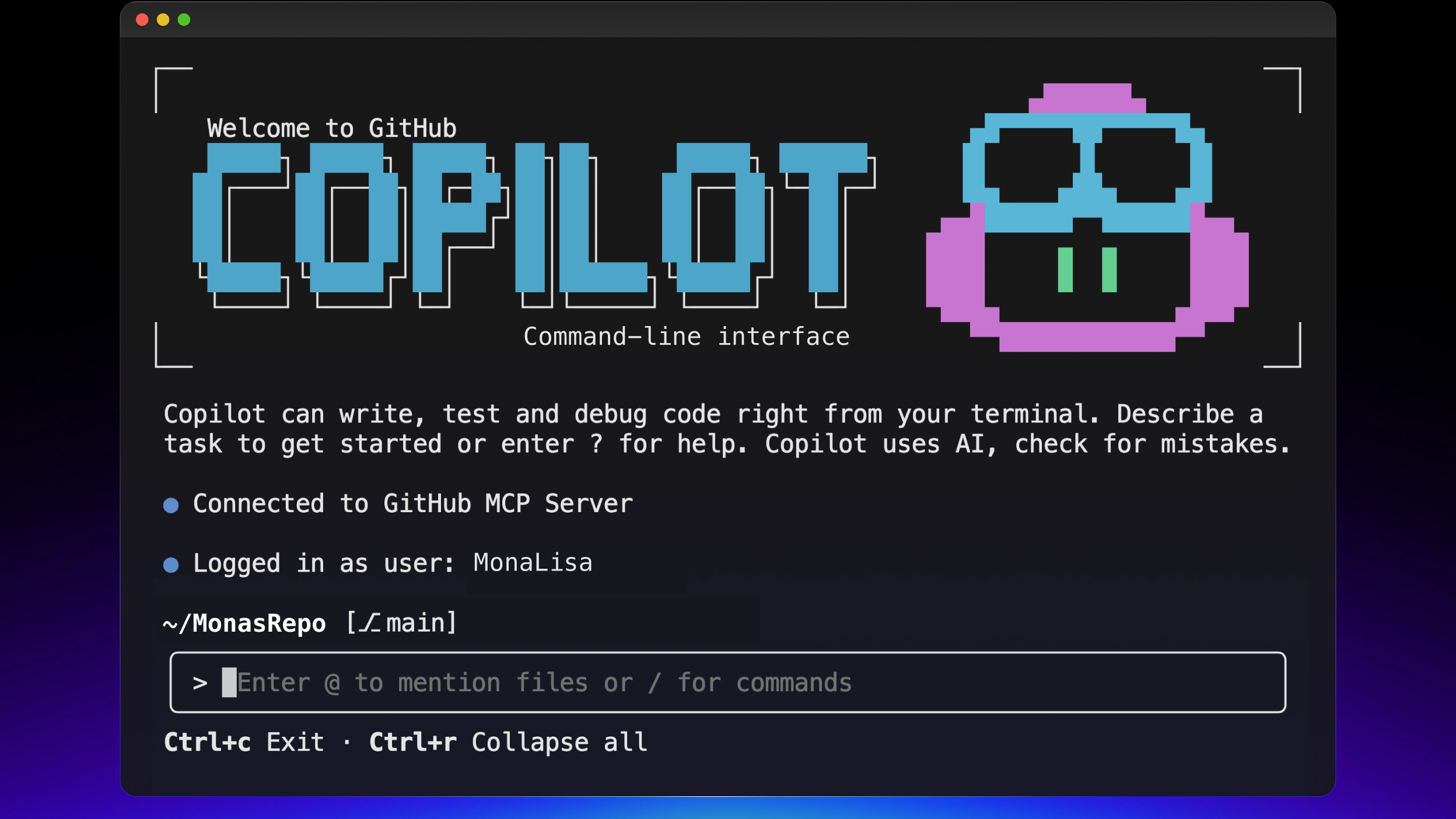
Copilot CLI has a lot going for it. GitHub built it for developers who live in the terminal. You can invoke it with a simple copilot command, point it at an issue, and watch it read files, propose diffs, and run tests. For a GitHub-centric developer, the integration is smooth. Pull requests, issues, and code search are all right there. The tool is also effectively free if you already pay for GitHub's paid plans, which removes the mental friction of trying yet another AI tool. That is a strong onboarding hook.
The risk is not that Copilot CLI is a bad tool. The risk is structural. When your CLI agent is inseparable from GitHub's platform, your workflow inherits every change GitHub decides to make. The free-tier pricing today could become usage-limited tomorrow. The model currently under the hood might be swapped without notice. The command-line flags you rely on could be deprecated because the product team wants to push a different interaction style. None of this is hypothetical. Every SaaS vendor eventually changes its API surface, and GitHub is no exception.
For vibe coders, that instability is especially painful because the entire appeal of vibe coding is momentum. You get into a flow state where the agent anticipates your intent and you barely need to think about mechanics. When that flow depends on a proprietary wrapper, any upstream change can yank you out of it. You wake up one morning, your CI script fails because the CLI output format changed, or your team's onboarding guide no longer matches the current flags. That is AI lock-in in practice: not the inability to export data, but the inability to preserve the way you work.
Source: github.com
The Many Faces of AI Lock-In#
AI lock-in is a broader problem than just "the vendor owns your data." In the context of CLI agents, it shows up in five distinct ways. Understanding them will help you evaluate any vibe coding tool you are thinking of standardizing on.
The first is model lock-in. Copilot CLI is tied to the models GitHub chooses to expose. You do not get to decide which model is best for a specific task. Maybe the default model is great at refactoring a Python module but mediocre at writing a Dockerfile. With Copilot CLI, you wait for GitHub to offer alternatives. If your preferred model from another provider is better at a particular task, you have no way to use it inside the same workflow.
The second is workflow lock-in. Copilot CLI is designed to integrate deeply with GitHub flows. That is a feature when you are a heavy GitHub user, but it becomes a constraint if your team uses a monorepo with custom CI, or if you need to run the agent in a self-hosted environment that is intentionally isolated from the public internet. The CLI assumes a certain relationship with the platform, and your automation has to live inside that assumption.
The third is configuration lock-in. Your dotfiles, commands, and custom instructions get written for Copilot CLI's expected schema and context. If you want to move to a different tool, you have to rewrite that configuration and retrain your triggers. The more elaborate your setup becomes, the more it costs to migrate. Vibe coders love to iterate on their setup, but that iteration is only valuable if the underlying tool's contract is stable.
The fourth is roadmap lock-in. You are betting that GitHub will keep investing in CLI agent features in the direction you need. They nearly always do, but they do it on their schedule. If you need a niche feature, such as a particular permission model or a specific codebase indexing strategy, you are at the mercy of the product roadmap. For an individual developer that is a minor annoyance. For a team adopting an AI agent as core infrastructure, it is a serious governance headache.
The fifth is price lock-in. Free with a plan you already pay for sounds great, but it also means there is no separate line item for the agent. That obscures the true cost and makes you less likely to evaluate alternatives. When the price does change, you have no baseline for comparison. FutureX and other standalone tools make their costs explicit, which keeps the market honest and gives you leverage as a consumer.
FutureX: A Vendor-Neutral Answer#
FutureX, the coding agent from FIM, was designed with the explicit goal of preventing these five forms of lock-in. Its core principle is that the CLI should be a thin, stable layer between you and whatever model you choose to run. That means the interface does not change when the model changes, and the model does not change when the CLI changes. Those two decoupling points are essential for developer workflow freedom.
The most visible feature is per-task model choice. In FutureX, you can invoke the agent with a --model flag or set a project-level configuration that maps tasks to models. For example, you might use fx-mini for a quick formatting pass, fx-fast for an interactive refactoring session, fx-pro for complex architecture analysis, and fx-eco for a batch of small, well-defined chores. You are not stuck with one model for everything. This is a direct response to the fact that model quality is highly task-dependent. A token-efficient model can be a better choice than a huge frontier model if the task is mechanical and the context window is small. Conversely, a deep reasoning task might justify the cost of a more capable model. The CLI agent should not prevent you from making that tradeoff.
Source: github.blog
The vendor-neutral claim goes deeper than model selection. FutureX is not tied to a specific code hosting platform. You can run it in a pure local Git workflow, against a GitLab instance, or with a set of plain directories. There is no implicit requirement to be inside a GitHub ecosystem. That neutrality extends to output formats, which are documented and stable, so you can write scripts around the agent without worrying that a platform update will break them. For team leads, this means you can standardize on FutureX and still migrate from one Git host to another without retraining your engineers.
Another important aspect of FutureX is that the CLI is genuinely open about what it is doing. It logs the exact commands it runs, the files it modifies, and the reasoning traces it used. This kind of transparency is good for vibe coding because it lets you inspect and correct the agent's actions before you commit. It also reduces lock-in: when a tool explains itself in plain, structured output, it is easier to move that knowledge into another tool if you ever decide to switch.
Practical Comparison: CLI Agent Workflow#
Let's compare the two tools at the level of an everyday session. Suppose you are vibe coding a small service that exposes an HTTP endpoint and runs a few integration tests. You want the agent to scaffold the project, implement a GET handler, and write a test that verifies the response.
With Copilot CLI, you would start a session, describe the task in natural language, and let it work against your repository. The experience is polished. You can approve or reject file edits, and the agent uses your existing GitHub context, including branches and issues. For a solo developer who lives inside GitHub, it is genuinely convenient. The problem appears when you want to deviate from the default behavior. Maybe you want to run the agent in a container without network access to github.com, or you want to pipe the output into a custom reporting tool. The tight coupling makes those adaptations harder than they need to be.
With FutureX, you start with the same natural language description, but you can also specify which model to use. For scaffolding, you might choose fx-fast because speed matters more than deep reasoning. For the test generation, you might choose fx-pro because you want the agent to consider edge cases and integration details. The CLI's command structure is intentionally similar to other Unix tools: fx run, fx plan, fx apply. The configuration lives in a simple file in your repository, so it travels with the codebase. New team members can clone the repo and immediately run the same agent with the same settings, without needing a GitHub account or a paid plan.
The scripting story is also different. FutureX emits machine-readable output that follows a consistent schema, so you can wrap it in shell pipelines or CI jobs. Copilot CLI is more interactive-first, and the non-interactive mode is a secondary concern. If you are building an automated pipeline that creates pull requests based on agent output, a stable CLI contract is a huge advantage. You do not want your CI to be coupled to the popularity of a chat-style interface.
Migration Costs and the Case for Portability#
Any developer who has switched editors, shells, or CI systems knows that the real cost of a tool is not the purchase price. It is the migration cost. AI agents are no different. A CLI agent becomes part of your muscle memory, your dotfiles, and your team's onboarding docs. If that agent is tied to a platform, the migration cost includes re-platforming your entire development loop. FutureX reduces that cost by keeping the agent separate from any particular hosting service and by making the configuration declarative and portable.

Source: hanzla-baig-blogs.vercel.app
Consider a team that currently uses Copilot CLI. They have written a set of custom instructions for their code style, a few scripts to automate review responses, and a CI step that runs the agent on every pull request. If GitHub changes the CLI's authentication model or deprecates a feature, the team has to update all of those pieces. With FutureX, the equivalent setup is a futurex.toml file that specifies project-level instructions, model routing rules, and permission scopes. That file is plain text, version-controlled, and readable by any tool that understands the schema. There is no vendor-specific account requirement clouding the picture.
Portability also matters for side projects and open source. If you maintain a repository that others contribute to, you want the recommended AI agent setup to be as inclusive as possible. Requiring contributors to have a paid GitHub plan just to run the same agent as you is a barrier. A standalone CLI like FutureX can be installed and used by anyone, regardless of which git host they use or which paid plans they hold. That gives your open source community less friction and more freedom.
Protecting Developer Workflow Freedom#
Developer workflow freedom is not a vague ideal. It is the ability to change tools, models, and infrastructure without rewriting everything you have learned. The rise of vibe coding tools should be liberating, not entrapping. To stay free while using these tools, adopt a few simple habits. First, prefer CLIs that are documented as stable interfaces rather than thin wrappers over a vendor's private API. Second, keep your prompts and configurations in version control as plain text. Third, choose tools that let you swap models per task or per project. Fourth, check whether the tool works offline or with a local model server, because that is often the ultimate escape hatch. Fifth, evaluate tools based on the contract they promise, not just the demo they show.
The vibe coding movement is about entering a flow state and letting the machine handle the mundane parts of programming. But flow state does not have to be built on sand. FutureX gives you a solid foundation: a vendor-neutral CLI, per-task model choice, and an explicit commitment to avoiding AI lock-in. You can use fx-pro or fx-mini for a given task, and you can move your entire setup to a different machine or a different git host without losing your edge.

Source: github.com
Copilot CLI is a fine tool for developers who are already deeply invested in GitHub and who accept the platform's roadmap as part of their stack. For everyone else, the lock-in is an uncomfortable price to pay for a free tool. FutureX is built for the developers who want to ride the vibe coding wave without forfeiting their sovereignty. When the next hot model ships, you want to be able to use it immediately, in the same terminal, with the same commands. That is the real promise of a vendor-neutral CLI: the future arrives, and your workflow is already compatible.
The Bottom Line#
Choosing between FutureX and Copilot CLI is not about which one writes better code in a single test. It is about the relationship you want with the tools you use daily. If you want a tool that is deeply tangled with a single platform, Copilot CLI is a reasonable choice. If you want developer workflow freedom, per-task model selection, and a CLI that respects your time and your autonomy, FutureX is the stronger option. Vibe coding should not mean vibing into a walled garden.
FutureX is part of the FIM platform, and it is designed for exactly this kind of work: flexible, transparent, and portable. You can point it at a repository, tell it what to do, and trust that the output is yours. No platform lock-in, no roadmap roulette, no hidden cost. That is the kind of tool that lets you keep vibing for a long time.
Related reading

FutureX vs Aider: Which Terminal Coding Agent Wins for Vibe Coding in 2026?
A practical head-to-head comparison of FutureX and Aider for vibe coding workflows, focusing on agentic autonomy versus Git-native manual control.
FutureX vs Aider7 min read

The Future of Vibe Coding: 7 Trends Every Developer Should Know
A developer-focused look at the seven vibe coding trends that will define 2026, and how FutureX's roadmap is built around them.
vibe coding7 min read
Vibe Coding Beyond Autocomplete: Why FutureX Beats Copilot CLI for Whole-Project Prompts
FutureX treats the entire repository as a promptable unit, letting you vibe a feature end-to-end while Copilot CLI still forces you through autocomplete-era diff babysitting.
vibe coding7 min read